60
Main Board Removal & Replacement
If the main PCBA requires replacement, the conformance testing section will need to be performed. In
addition, the unit serial number will need to be entered into system memory by navigating to the
following password protected factory menu screen: Setup, Administration, Factory.
1.
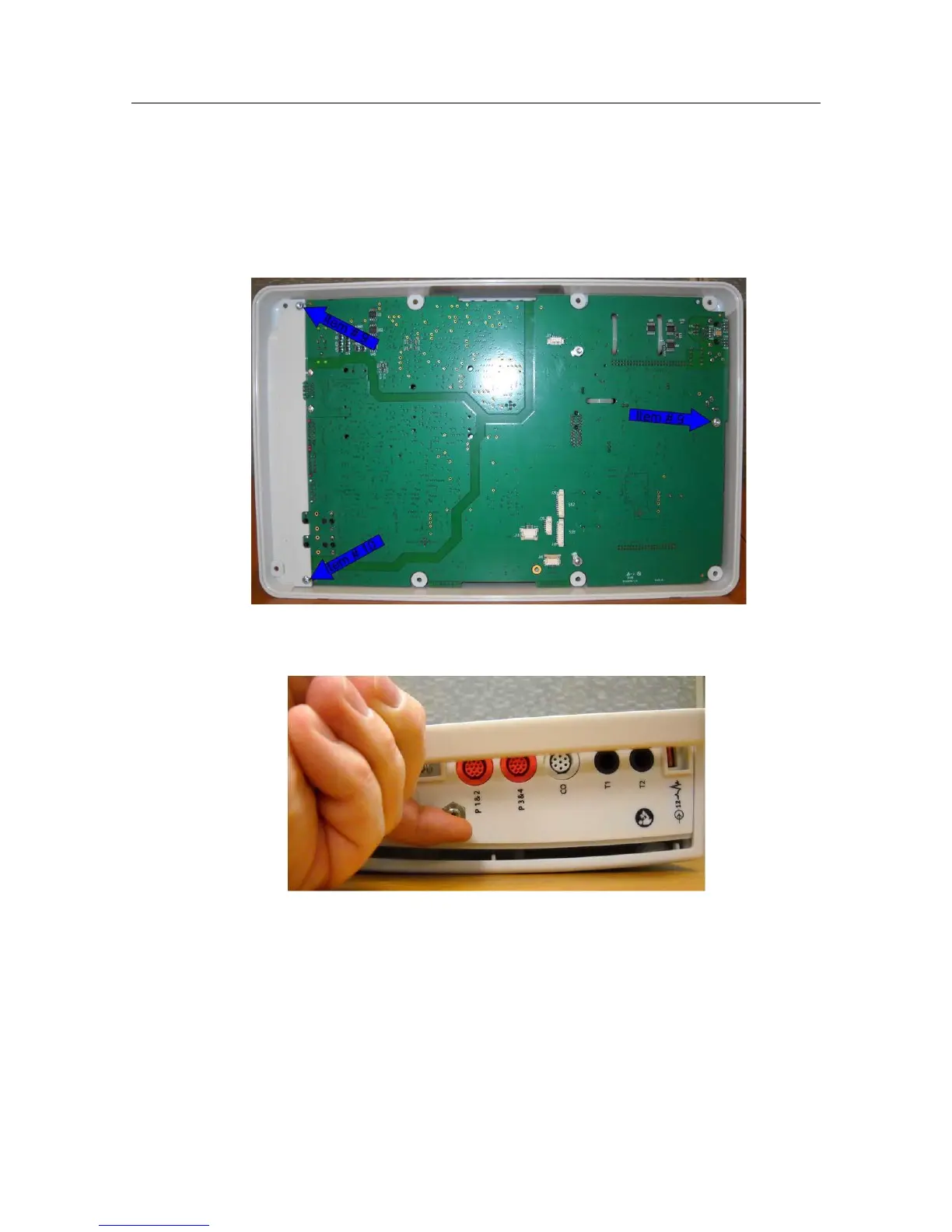
Locate the three (3) mounting screws and remove them. Item #10 for the two screws shown on the left
and one item #9 screw shown on the right.
2.
Gently lift up on the NIBP nozzle (item 34) to lift the board out of the Rear Housing


 To Next Page