38
8.
DEVICE SETUP
Overview
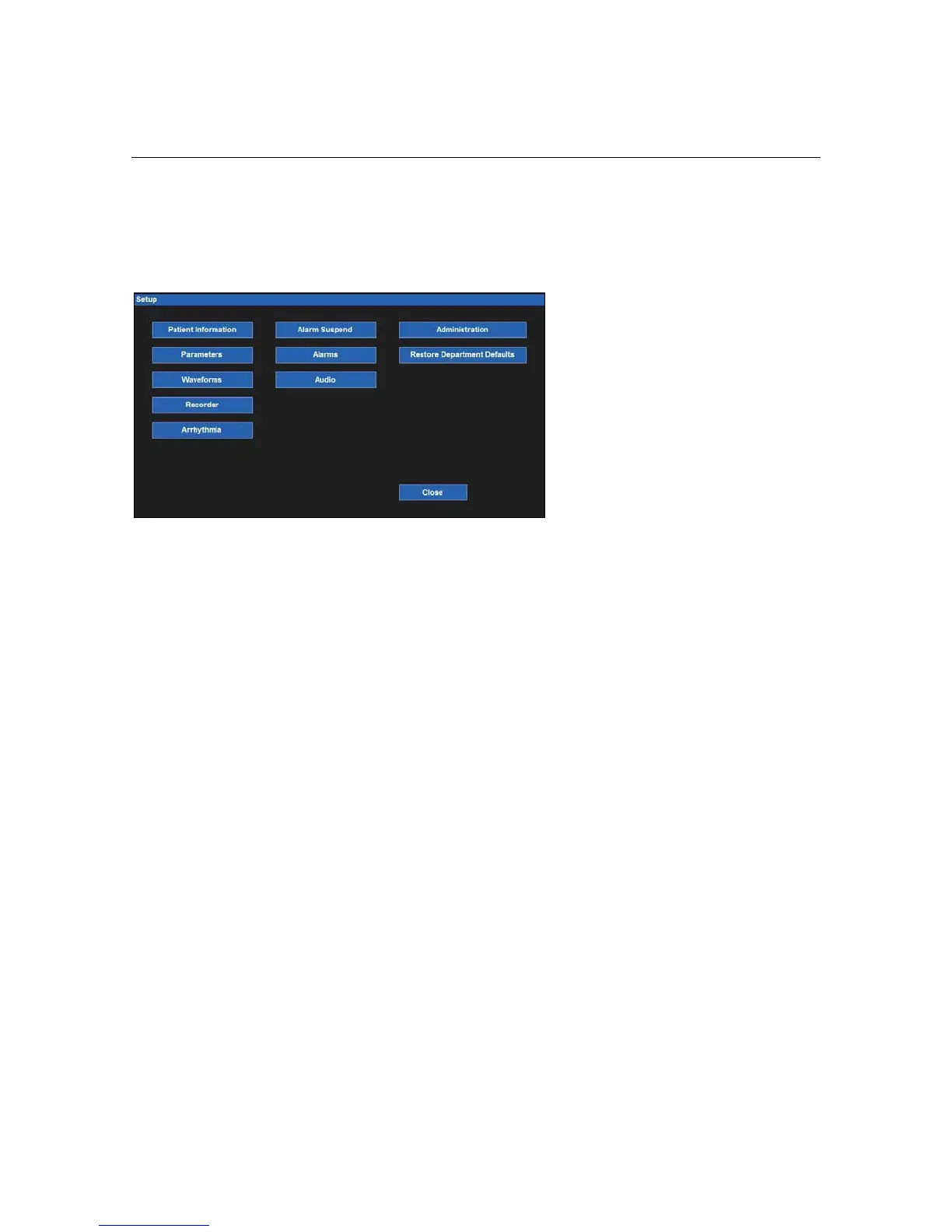
The Setup quick action key provides access to advanced functions such as arrhythmia settings, alarm settings, and
other monitor configuration menus.
Example Setup Dialogue
Patient Information
The Patient Information button provides access to the Patient Information dialogue. Access to this dialogue can also
be obtained by selecting the black patient information area located above the system date and time.
Information that can be entered includes Last Name, Middle Initial, First Name, ID, Room number, Mode, Gender,
Ethnicity, Date of Birth, Height and Weight.
Refer to the Patient Information dialogue section in this manual for further details.
To access the Patient Information dialogue from the Setup dialogue:
1.
Select the Setup quick action key on the main screen to access the Setup dialogue.
2.
Select the Patient Information button to access the Patient Information dialogue.
Parameters
The Setup Parameters dialogue is where the clinician can enable and disable the monitoring of certain parameters.
Disabling a parameter removes that parameter from the patient monitor’s main screen.


 To Next Page