59
Processor Board Removal & Replacement
1.
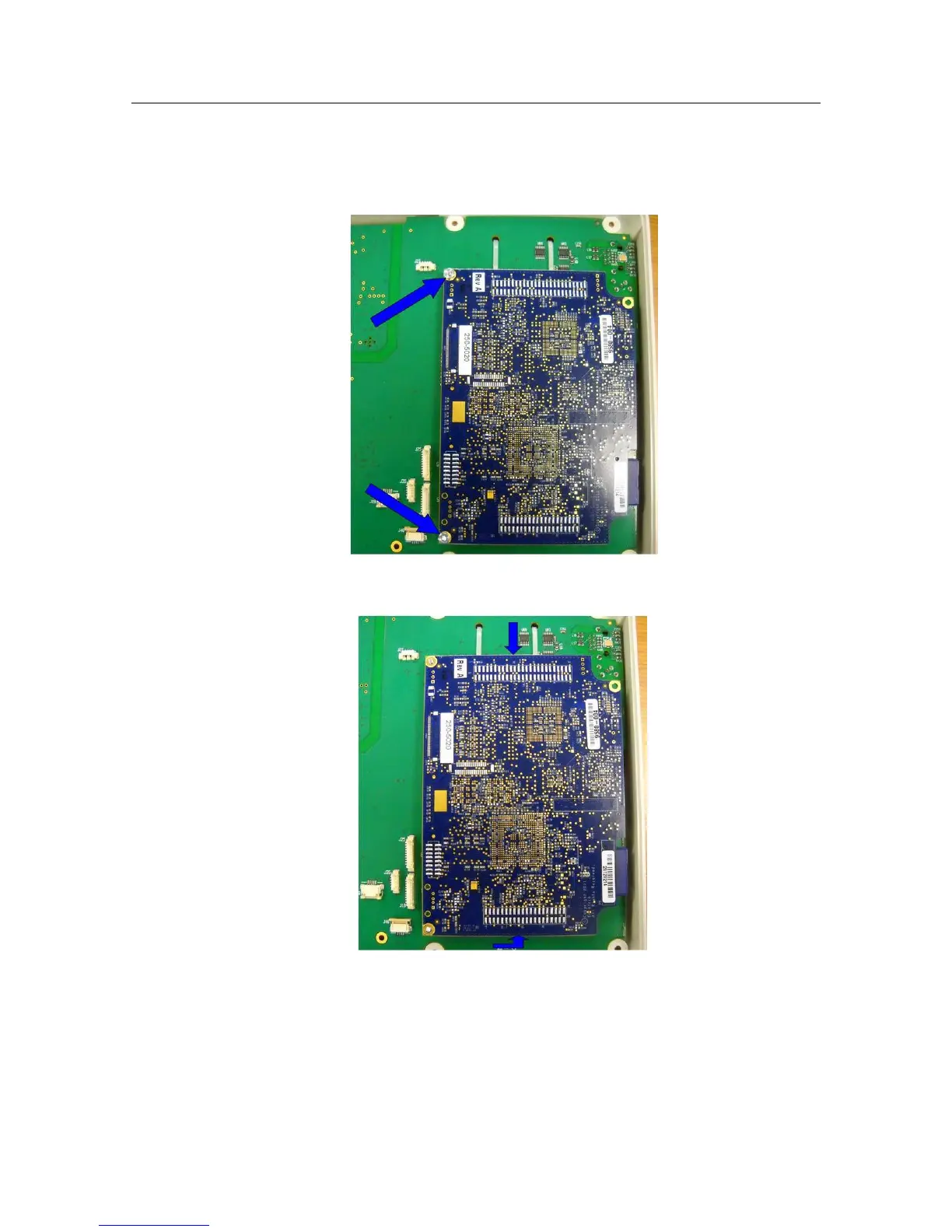
With the battery and the Rear Housing removed locate the 2 nuts (Item 44) retaining the processor board
(Item 41) to the Main Board and remove them.
2.
Lift gently straight up on both ends of the processor board (Item 41) as shown to remove the PCA from the
two connector sockets on either end of the board.
3.
Reassemble in reverse order


 To Next Page