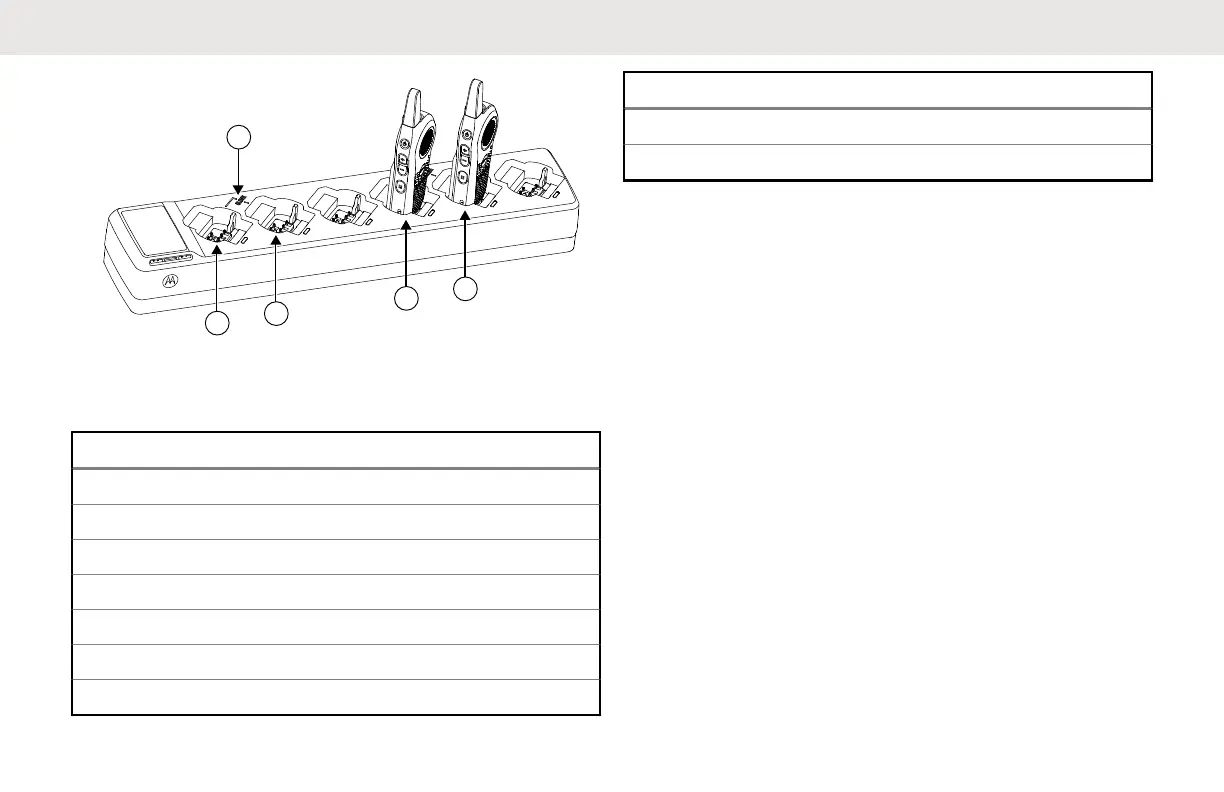
Figure 16: Cloning Mode in Multi-Unit Charger
Table 24: Cloning Mode in Multi-Unit Charger
Number Item
1 Pocket 1
2 "CLONE" symbol
3 Pocket 2
4 Pocket 4
5 Pocket 5
6 Pocket 7
7 Pocket 8
Number Item
8 Pocket 10
9 Pocket 11
13.3
Configuring Cloning Mode Using
Radio to Radio Cloning Cable
Ensure all radios are fully charged.
Required devices/tools:
• Cloning Cable (Part Number HKKN4028_)
• Two Single-Unit Chargers (SUC)
English
100



 To Next Page
 Loading...










