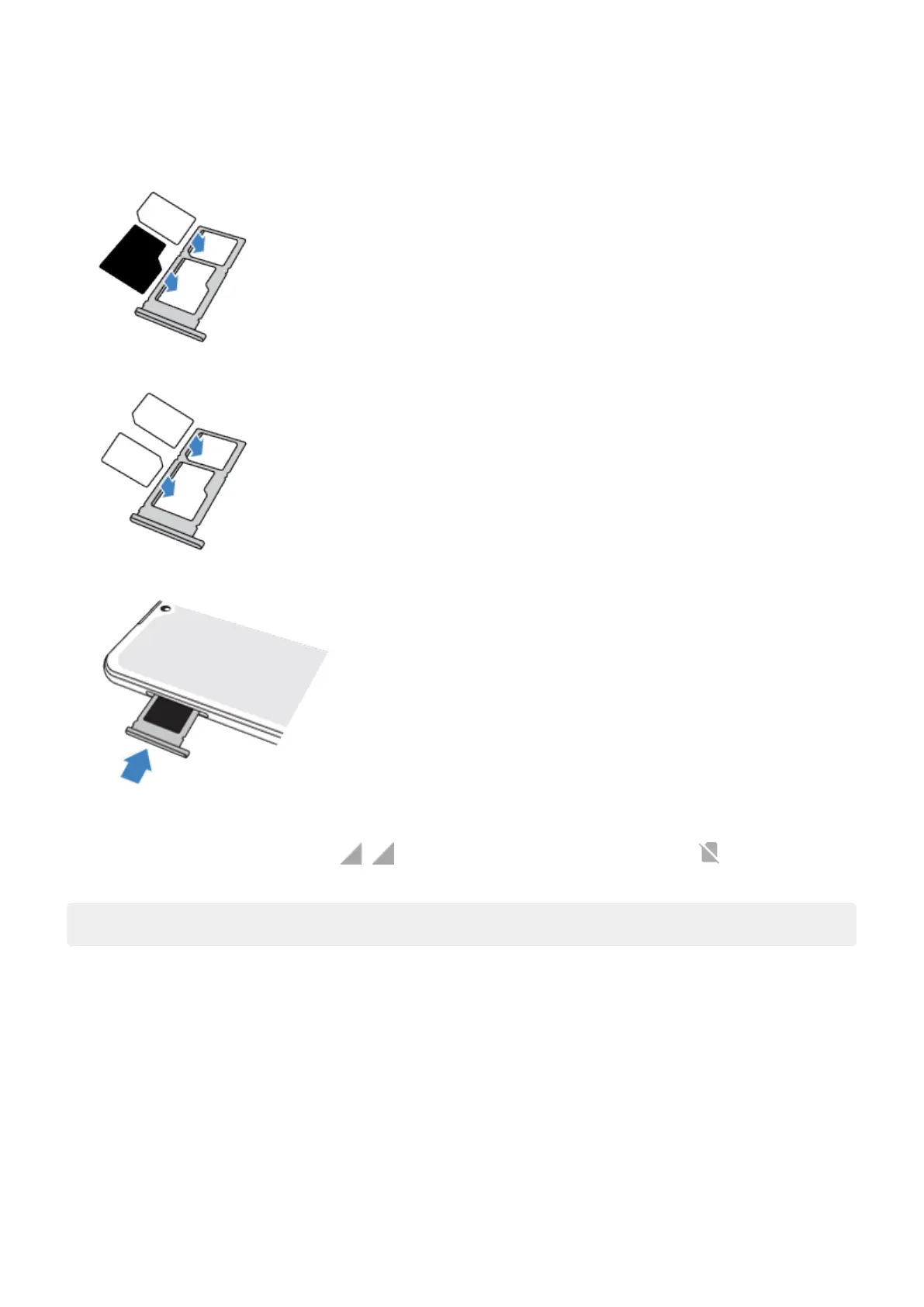
3. Insert or remove the cards as needed.
To use an SD card and a SIM card:
Or, to use two SIM cards (dual-SIM models only):
4. Push the tray back into the phone.
5. If you inserted an SD card, format it now.
When two SIMs are inserted, you see at the top of the Home screen. If you see , troubleshoot the
issue.
Note: If you need to activate or resize a SIM, contact your carrier.
Fix an issue
Select an issue to see troubleshooting steps.
SIM card
SIM not recognised
Can't make calls
Can't answer calls
SD card
Phone doesn't recognise card
Set up phone
4



 To Next Page
 Loading...