•
don't try to charge your phone when it's wet.
•
don't expose your phone to salt water or liquids other than fresh water.
•
Don't expose your phone to water at high pressure.
•
Don't drop, puncture or scratch your phone, as this could damage the water-repellent features.
Insert and remove SIM and SD cards
About the SD card
Your phone supports an optional microSD card up to 512 GB.
Which type to buy depends on how you're going to format the card:
•
Portable storage (can use card in different devices): A Class 2, 4 or 6 card is sufficient.
•
Internal storage (card used only by phone): Use a high-speed card such as UHS-1 type for best
performance. Class 2, 4 or 6 cards are slower than your phone's internal storage, so using them for
internal storage would slow your phone's performance.
Learn more about the differences between portable storage and internal storage.
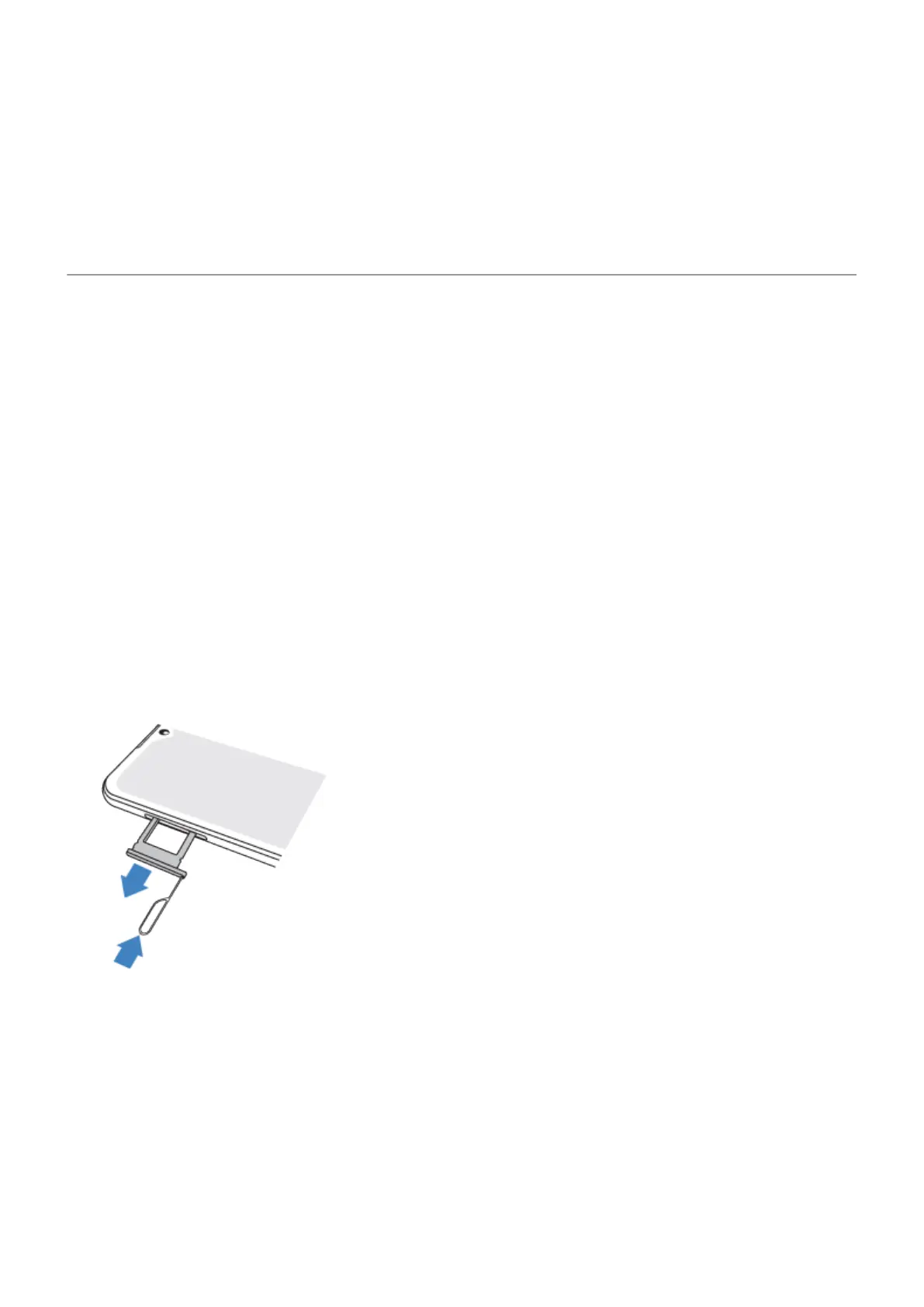
Insert or replace cards
1. If you want to remove the SD card, eject it first.
2. Insert the tool into the hole in the tray and gently push to pop it out.
Set up phone 3



 To Next Page
 Loading...