CA Series User’s Manual Software Installation
3-24
Port Configuration
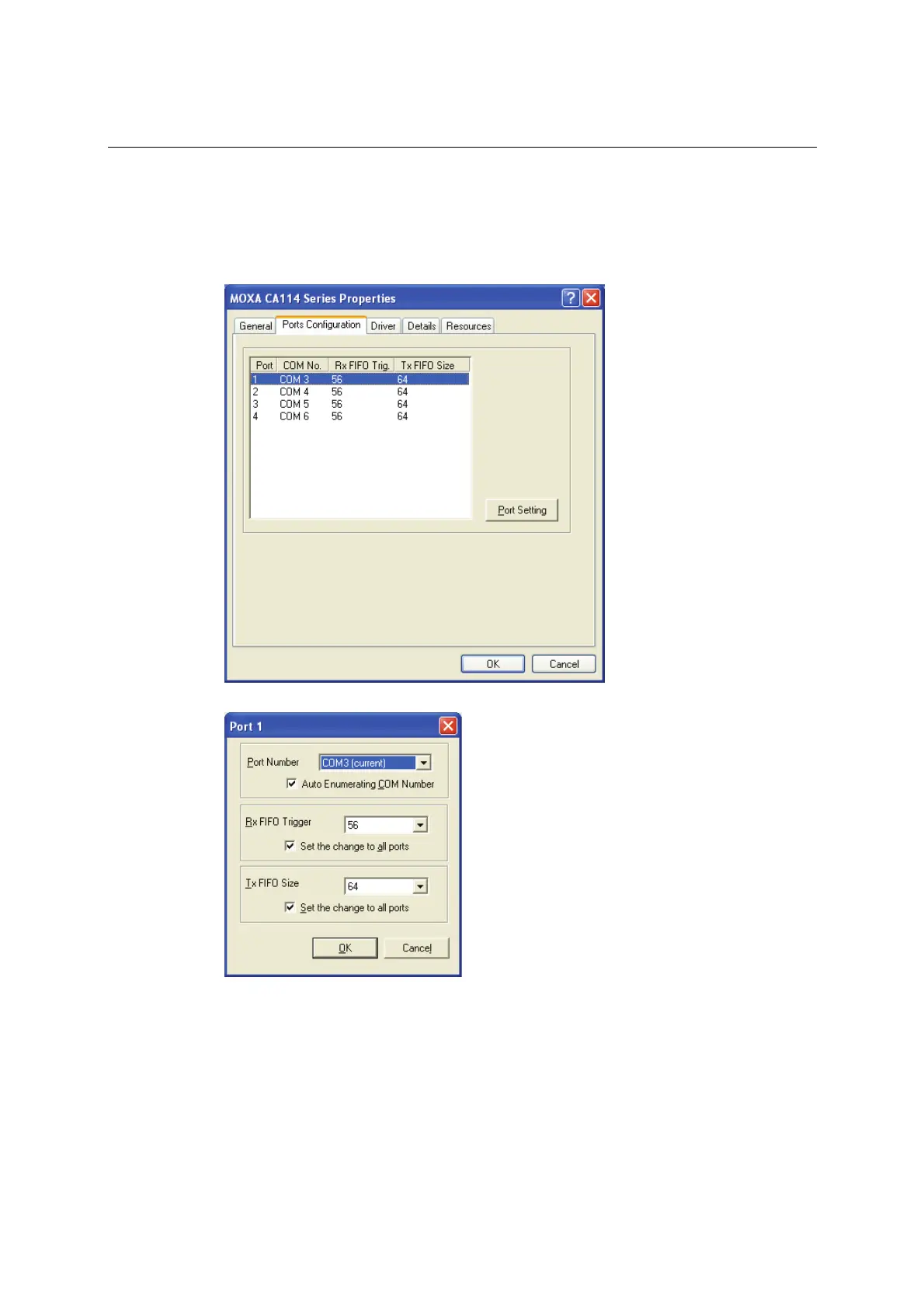
After the driver is installed, a CA Series Properties window will appear. The system will map the
serial ports automatically. It will prompt you to take care of port configuration if another CA
Series module has been installed on the PC.
1. Select a specific port under the Port Configuration tab and click Port Setting.
2. Under Port Number, select a COM number to assign to the serial port.
Select Auto Enumerating COM Number to map subsequent ports in numerical order. For
example, if COM 3 is assigned to Port 1, then COM 4 will be automatically assigned to Port 2.
3. Select an Rx FIFO Trigger. The default value is 56 bytes (high level). Select Set the change
to all ports to use this setting for all serial ports on the module.
4. Select a Tx FIFO Size. The default value is 64 bytes (high level). Select Set the change to all
ports to use this setting for all serial ports on the module.



 To Next Page