CA Series User’s Manual Software Installation
3-52
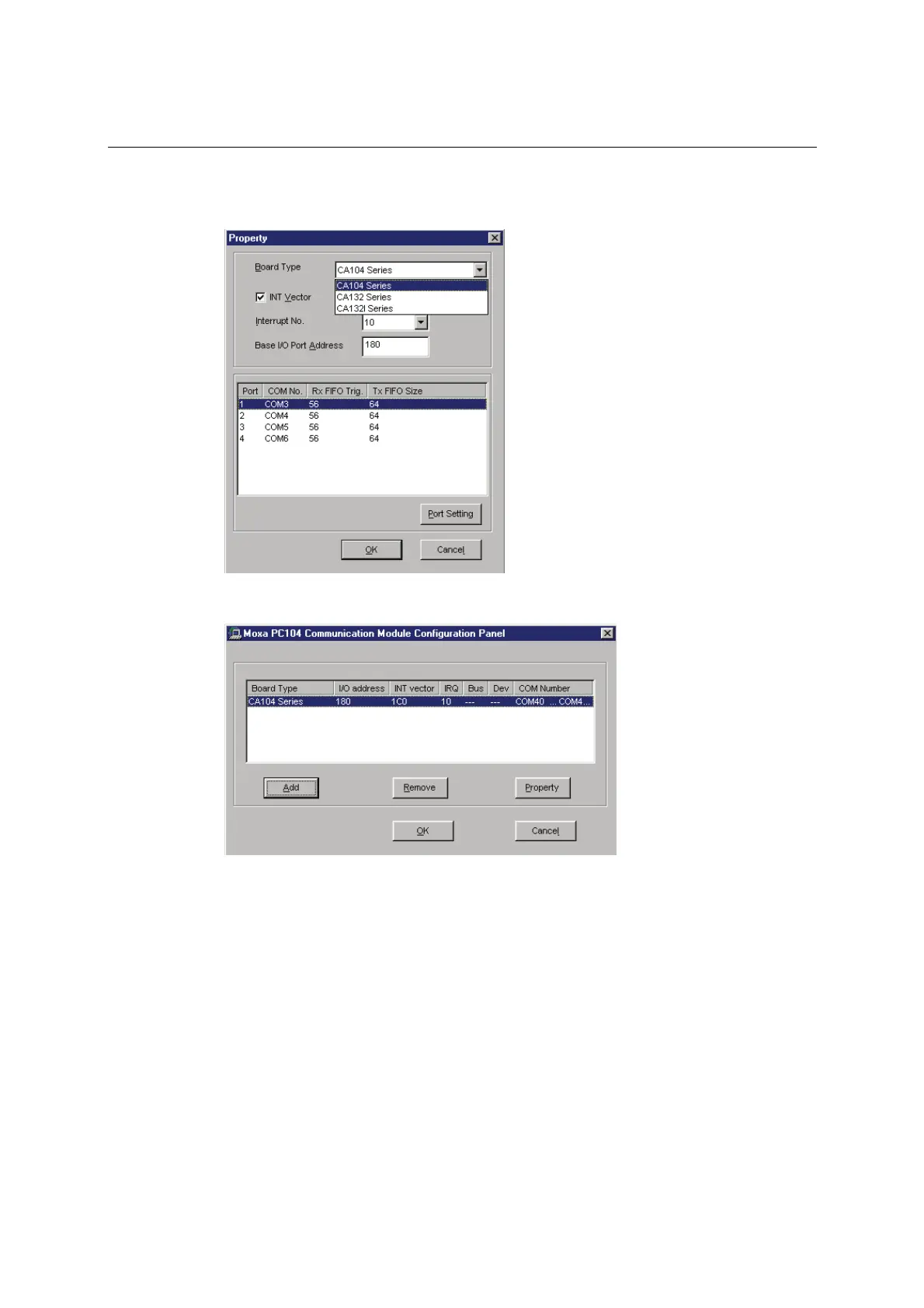
5. Under Board Type, select your CA Series model. The window will show the COM port
numbers that will be assigned to the CA Series serial ports, as well as other settings. Click OK
to continue.
6. The CA Series module will now appear in the configuration panel. Click OK to complete
installation of the module.
You can open the configuration panel again through Start Æ Programs Æ Moxa Utilities Æ
MOXA PC104 Communication Module Configuration Panel.



 To Next Page