ioLogik E1200 Series Initial Setup
Communication Port Wiring
The product series offers the communication ports described below:
RJ45: Ethernet
The Ethernet ports (Port1/Port2) on the unit are unmanaged switch ports. Each of the two ports function in
essentially the same way.
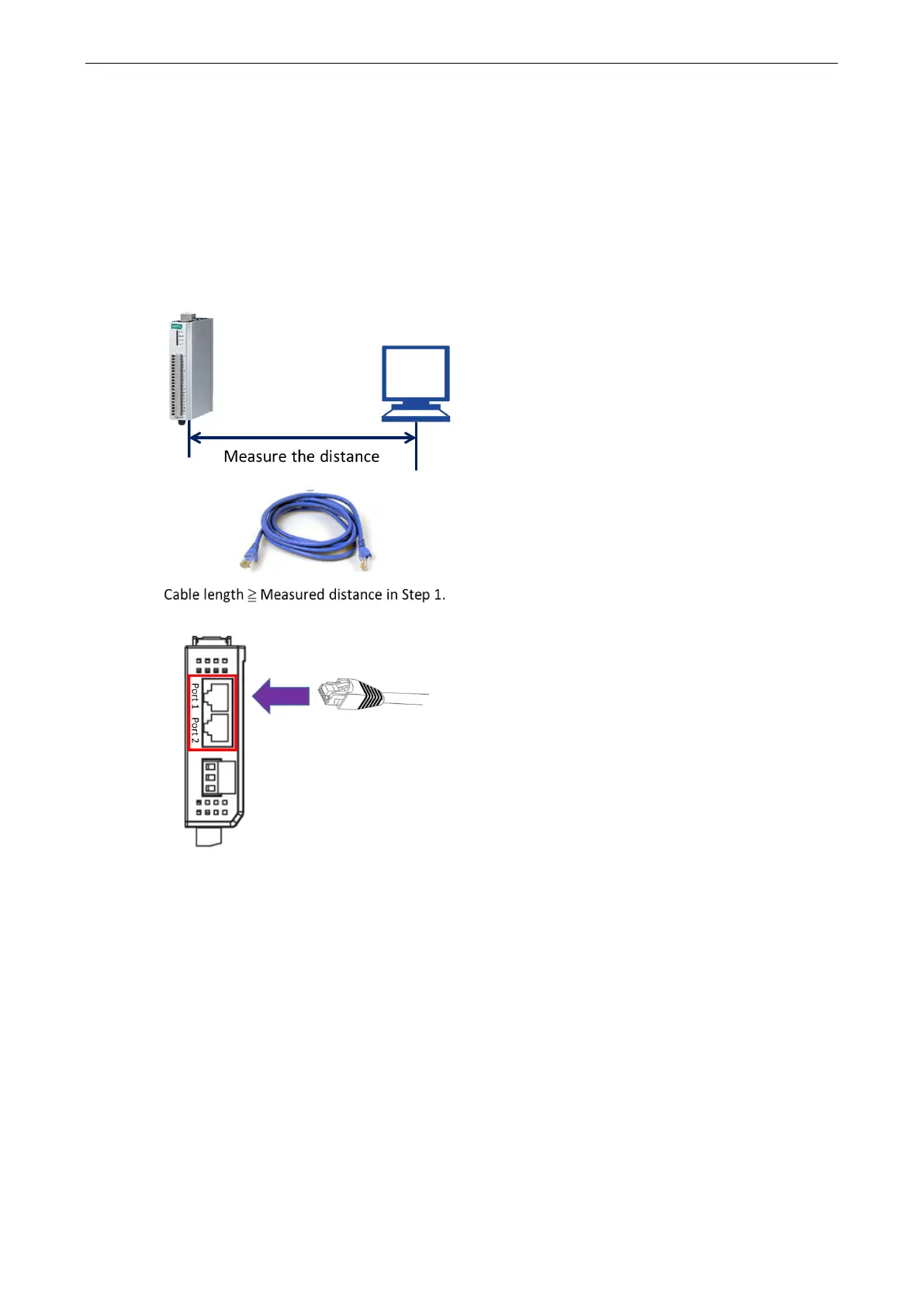
Take the following steps to wire the communication port correctly.
STEP 1. Measure the distance between the unit and your
workstation/ switch/ connected equipment.
an Ethernet cable (RJ45 connector)
longer
than the distance m
easured in Step 1.
Top View
Connect the RJ45 connector of the cable to



 To Next Page
 Loading...


