ioLogik E1200 Series Using ioSearch™
Introduction to ioSearch™
Moxa’s ioSearch™ utility is software tool that searches for ioLogik E1200 units on a physical network. The
following functions are supported by the ioSearch™ utility:
• Search for and locate ioLogik E1200 units
• Configure IP addresses
• Upgrade firmware for multiple ioLogik E1200 units (same model)
• Export configuration files from multiple ioLogik E1200 units
• Import configuration files from multiple ioLogik E1200 units (same model)
• Reset to default for multiple ioLogik E1200 units
• Activate the EtherNet/IP function for multiple ioLogik E1200 units (you will need to register the device
before activating it)
ioSearch™ Main Screen
Main Screen Overview
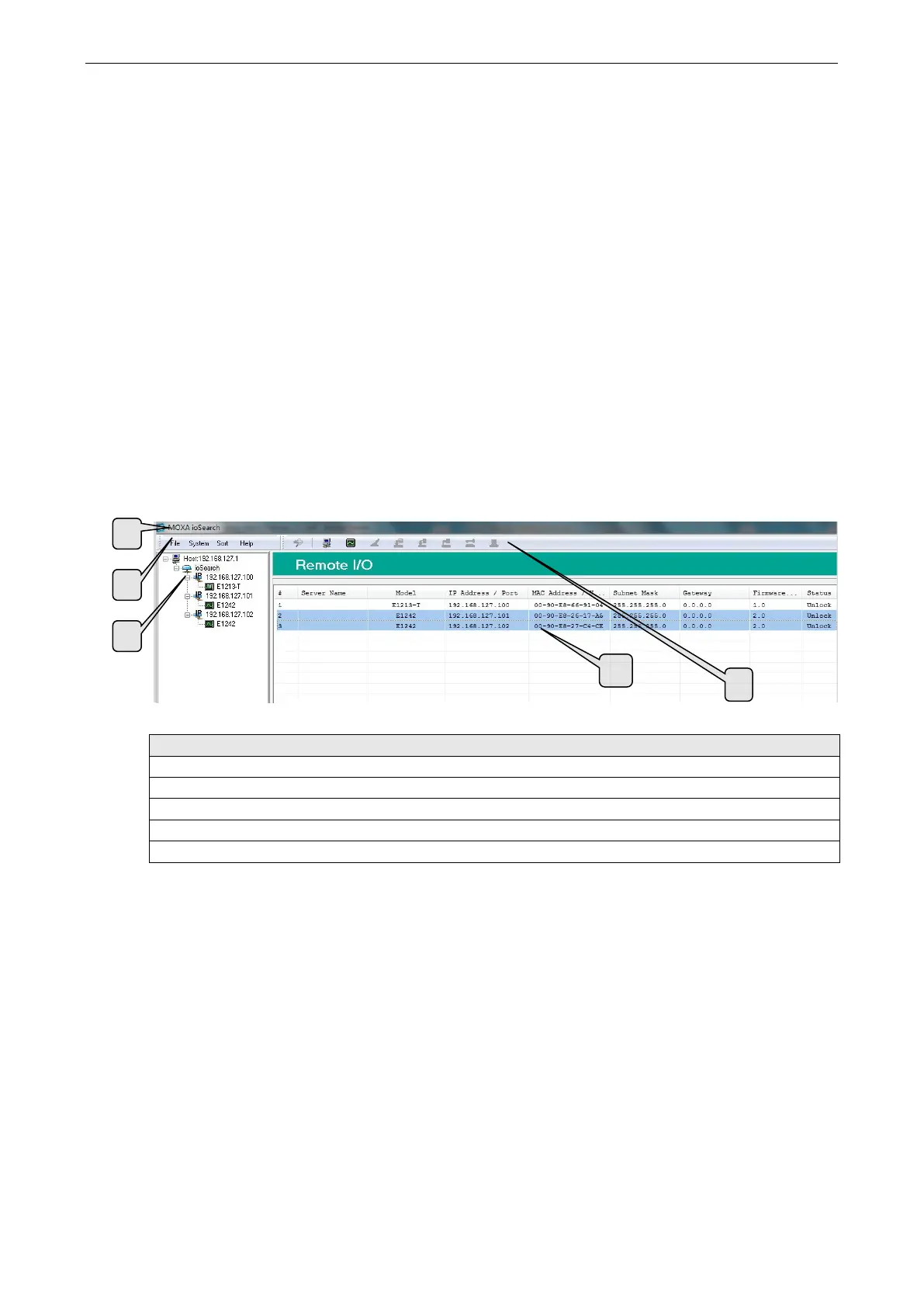
The main screen displays the results of a broadcast search for ioLogik E1200 units.
ioSearch™ Main Screen
1. Title
2. Menu bar
4. Navigation panel
5. Main window
4



 To Next Page
 Loading...


