ioLogik E1200 Series Initial Setup
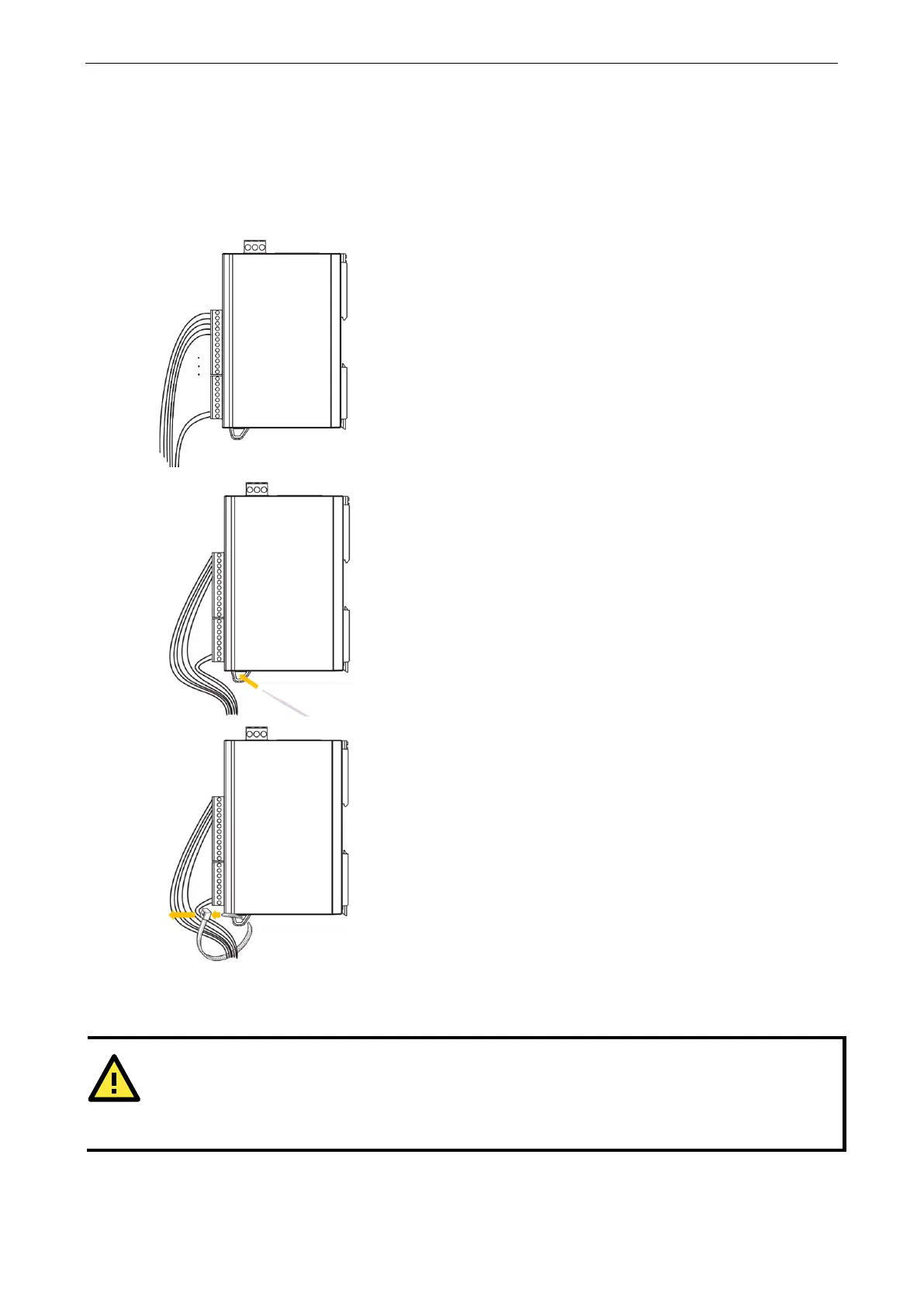
Use the Cable Tie Base to Securely Route a Connected I/O
Cable
The products in this series have a cable tie base at the bottom of the unit for securely routing connected I/O
cables, thereby decreasing the risk that the cable or terminal will be damaged accidentally.
Refer to the I/O wiring section to wire the I/O channel.
Insert the cable tie strap through the cable tie base.
STEP 3. Fix the I/O channel cables to
the cable tie base
Powering Up the Unit
that the rated voltage of the connected DC Power Source is within 12 to 36 VDC to supply efficient
; if the power source does not supply voltage in this range, your unit could be damaged or
unpredictable manner.



 To Next Page
 Loading...


