GB
Maintenance and Care MSA
50 AirGo
(1) Loosen one end of the rescue grip and turn the buckle that it can be pushed
out of the slots in the back plate.
(2) Remove the rescue grip from the back plate.
(3) Repeat these steps for the other side.
(4) Assemble the rescue grip in the reverse order.
4.4.5. Changing the Hip Belt
4.4.5.1. Options MaX, eXX and pro with Swivelling Plate
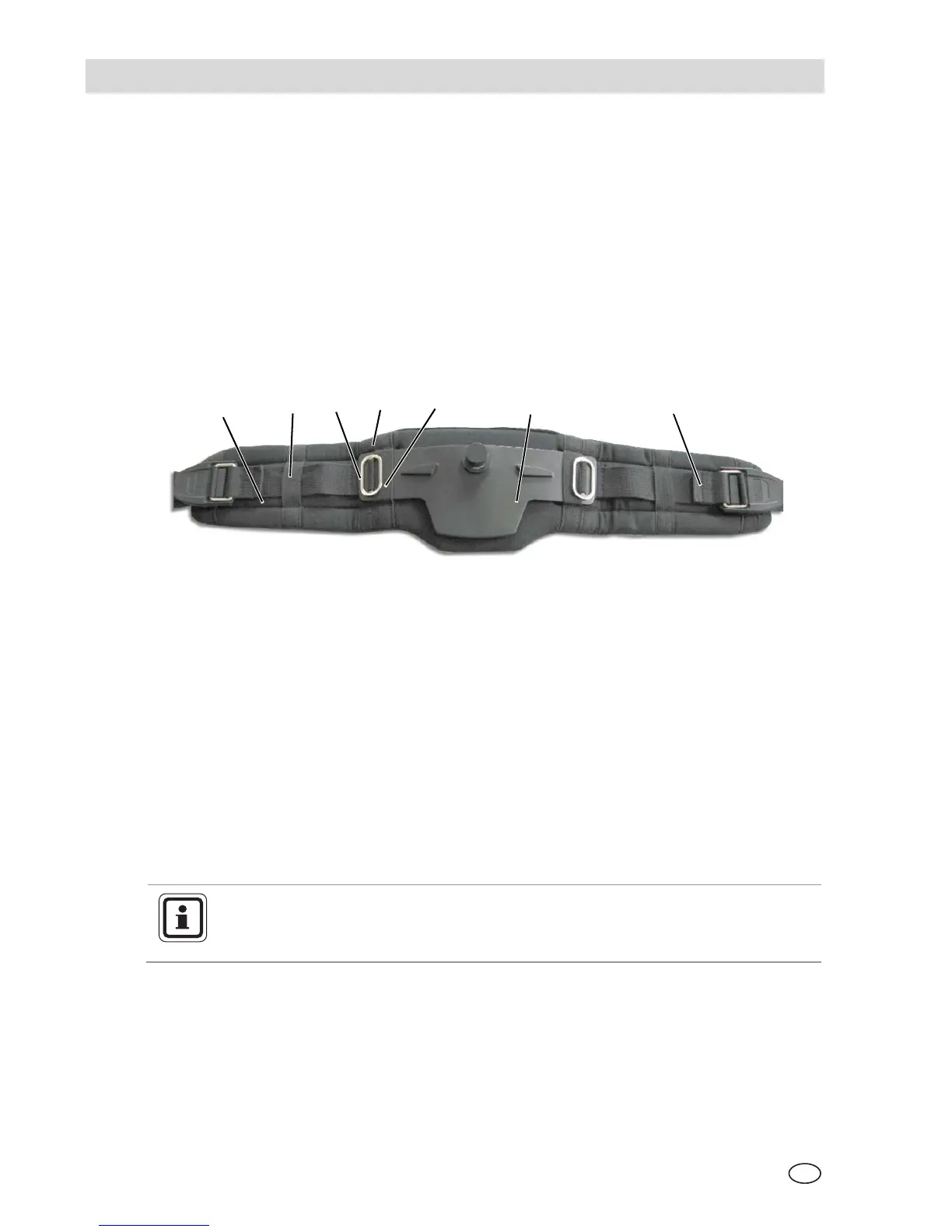
In these options a swivelling hip belt plate can be fitted. The hip belt is directly
mounted on the swivelling plate as shown in Fig. 40.
Fig. 40 Hip belt with swivelling plate
1 Hip belt with padding 5 Inner loop
2 Outer loop 6 Swivelling plate
3 Buckle 7 Back stop
4 Middle loop
Disassembling
(1) Remove one of the buckles from the swivelling plate.
(2) Push the hip plate sidewards and remove it from the loop.
(3) Repeat the procedure for the second buckle (on the other side).
(4) Remove the left and the right hip belt from the padding.
Assembling
When assembling ensure that the belt is mounted correctly using the
outer belt loops on both sides of the padding.
Use the inner loops for mounting the swivelling hip plate.
(1) Thread the metal buckles and the belt as shown in Fig. 40 through the outer
loops in the belt padding.
(2) Thread the swivelling plate into the two inner loops of the belt padding.
(3) Mount the metal buckles as shown at the swivelling plate.
1
7


 To Next Page