GB
MSA DESCRIPTION
ALTAIR 5 - Operating Manual 19
• Minimum and maximum ambient temperature to charge the instrument is
10°C/50°F and 35°C/95°F.
• For best results, charge the instrument at room temperature.
To Charge the Instrument
• Firmly insert the charger connector into the charge port on the back of the
instrument.
• An LED in the battery pack is used to indicate on the charge status.
Red = charging, Green = charged, Amber = fault
• If a problem is detected during charging (LED turns amber).
Disconnect the charger momentarily to reset the charge cycle.
2.3.4 Confirmation Beep
This confirmation beep activates every 30 seconds by momentarily beeping the
horn and flashing the alarm LEDs under the following conditions:
• Confirmation beep is enabled
• Instrument is on normal Measure Gases page
• Instrument is not in battery warning
• Instrument is not in gas alarm.
2.4. Viewing Optional Displays
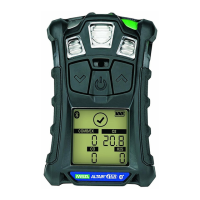
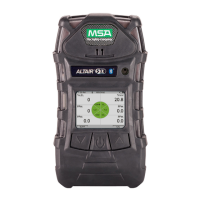
The Main Screen appears at instrument turn-ON.
Optional displays can be viewed by pressing the
button to move to the screen
as indicated by the "soft key".
(For the monochromatic display the name of the page is displayed, for the colour
version it is represented by an icon.)
2.4.1 Peak Readings (PEAK page)
Monochromatic display Colour display
PEAK
This page shows the highest levels of gas recorded by the instrument since turn-
ON or since peak readings were reset.
To reset the peak readings:
(1) Access the PEAK page.
(2) Press the
button.
2.4.2 Minimum Readings (MIN page)
Monochromatic display Colour display
MIN
This page shows the lowest level of oxygen recorded by the instrument since
turn-ON or since the MIN reading was reset.


 To Next Page