GB
MSA OPERATION
ALTAIR 5 - Operating Manual 37
Setting Sensor Options
(1) Press the
button to enter setup.
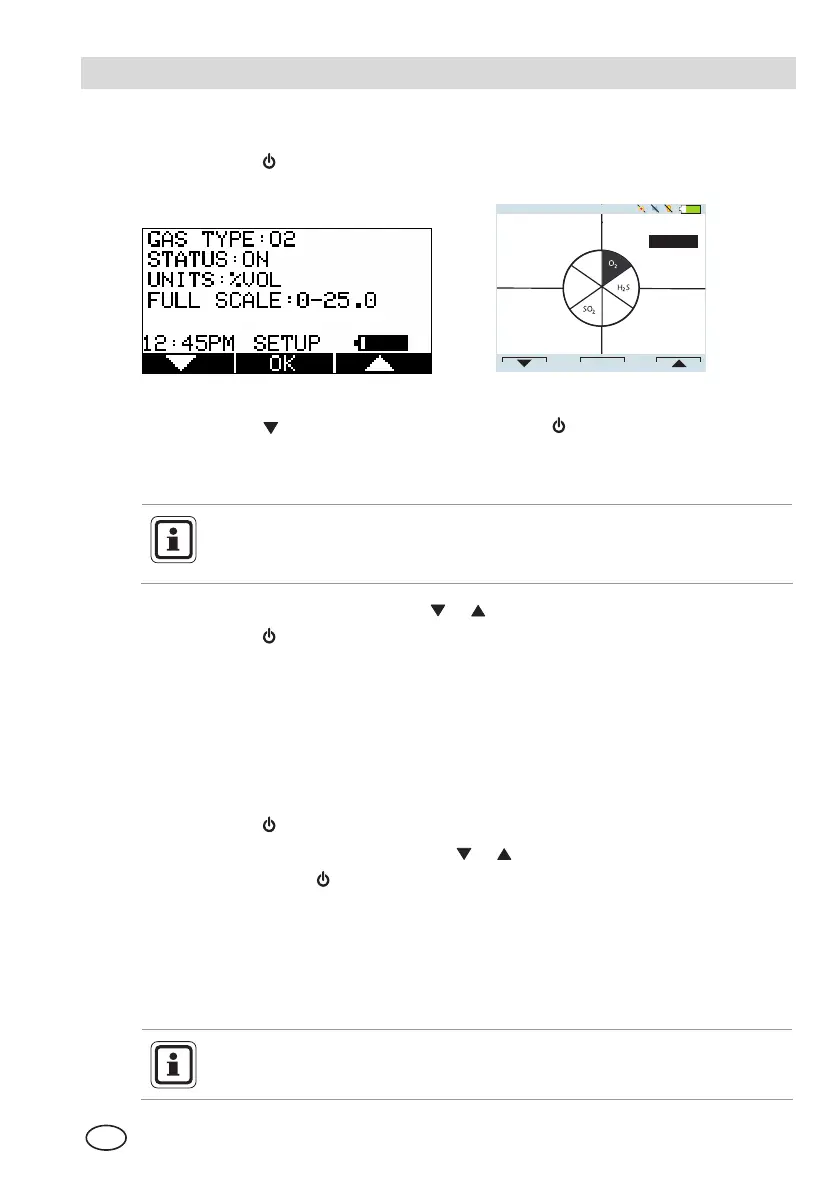
• Following screen displays:
1:30PM
OK
GAS TYPE
O2
FULL SCALE
0-25.0
STATUS:
UNITS
%VOL
SETUP
OFF
COMB
CO
Figure 3-8 Sensor Options
(2) Press the
button to select sensor, press the button to make changes.
• The sensor information is displayed and the sensor can be enabled or
disabled.
Other operations such as changing the gas type (Methane, Butane,
Propane etc. for the combustible sensor) and units (ppm to mg/m
3
) are
only possible using the MSA Link software.
(3) Change status by pressing the
or
button.
(4) Press the
button to confirm and advance to next screen (next sensor).
(5) Perform the sequence for all other sensors.
• After setting up the last sensor the instrument goes to the next
Setup Page.
Language Setup
This option is for setting the language of the instrument.
(1) Press the button to enter setup.
(2) Change language by pressing the
or
button.
(3) Confirm with the
button.
• The instrument goes to the next Setup Page.
Time and Date Setup
This option is for setting the instrument time and date. The instrument first
prompts to set the time and then it prompts for the date.
The time can be set up for either regular AM/PM or military time (through
MSA Link software). AM/PM time is the default setting.



 To Next Page