31
Maintenance
FL500 UV/IR Flame Detector
US
5 Maintenance
WARNING!
Repair or alteration of the device beyond the scope of the maintenance instructions in this manual
or by anyone other than General Monitors or General Monitors-approved service personnel can
cause incorrect operation of the device and put persons who use this device for their safety at risk
of serious injury or death.
The device has components that can be damaged by electrostatic discharge (ESD). When you do
work with the device wiring, be careful to touch only the connection points. The warranty does not
supply coverage for components that are damaged by ESD.
Failure to obey these warnings can result in serious injury or death.
General Monitors recommends that maintenance intervals be set through a documented procedure
that includes a maintenance log kept by plant personnel or third-party testing services.
5.1 Regular Maintenance
WARNING!
Use ONLY a damp cloth to clean the device. Otherwise, electrical shock or ignition from ESD can
occur.
Failure to obey this warning can result in serious injury or death.
Clean the optical window every 30 days at a minimum. Refer to Section 5.2 "Cleaning the Optical
Window" for instructions. Do sensitivity checks regularly. Refer to Section 4.3 "Sensitivity Check" for
instructions.
5.2 Cleaning the Optical Window
WARNING!
Use ONLY Industrial Strength Windex® with Ammonia D (General Monitors PN 10272-1) to clean the
optical window. The optical window material is sapphire, not glass. Using any other commercial glass
cleaner will cause damage to the optical window. The warranty does not supply coverage for optical
windows that are damaged in this way.
Failure to obey this warning can result in serious injury or death.
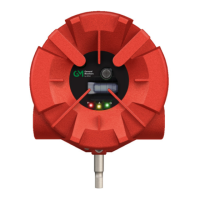
Remove debris and film buildup on the optical window and reflectors regularly to make sure that the
device has the correct sensitivity and to prevent COPM Faults. General Monitors recommends that
you clean the optical window and reflectors every 30 days at a minimum. Clean the optical window
and reflectors more frequently for devices that are installed in dirty areas.
Examine, clean the optical window, and do sensitivity checks more frequently for
devices that are installed in dirty areas.











 To Next Page