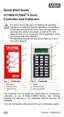
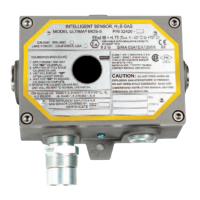
Procedure 18. Setting the MODBUS BAUD rate.
1. Press the SEND button.
• The display prompts: SEND?.
2. Press the CAL button.
• The display prompts: Sel Cal Action +.
3. Press the + or - button until the display prompts: BAUD Rate.
4. Press the ENTER button.
• The display prompts: BAUD +.
5. Use the + or - button to select the desired BAUD rate.
6. Press the ENTER button.
• The display prompts: PARITY +.
7. Use the + or - button to select the desired parity.
8. Aim the controller at the sensor and ENTER button.
• The Ultima X Gas Monitor Sensor is now changed to the
selected BAUD and Parity.
Programming the Controller
The Controller can be programmed to set up or group or repeat all of
your Ultima Gas Monitors in one particular way. There are nine possible
programs (1 through 9). However, program #9 is solely used to link or
combine five of the remaining eight programs. These programs are
useful to eliminate duplicate keystrokes or to ensure the same
configuration at each mounting site.
Removing Existing Programs
It is good practice to remove the existing programs before attempting to
initiate a new one.
1. Press and hold the 0 button.
• The display prompts: Clr Prgs 0=N 1=Y
2. Press 1 to remove all programs.
3-19



 To Next Page