40
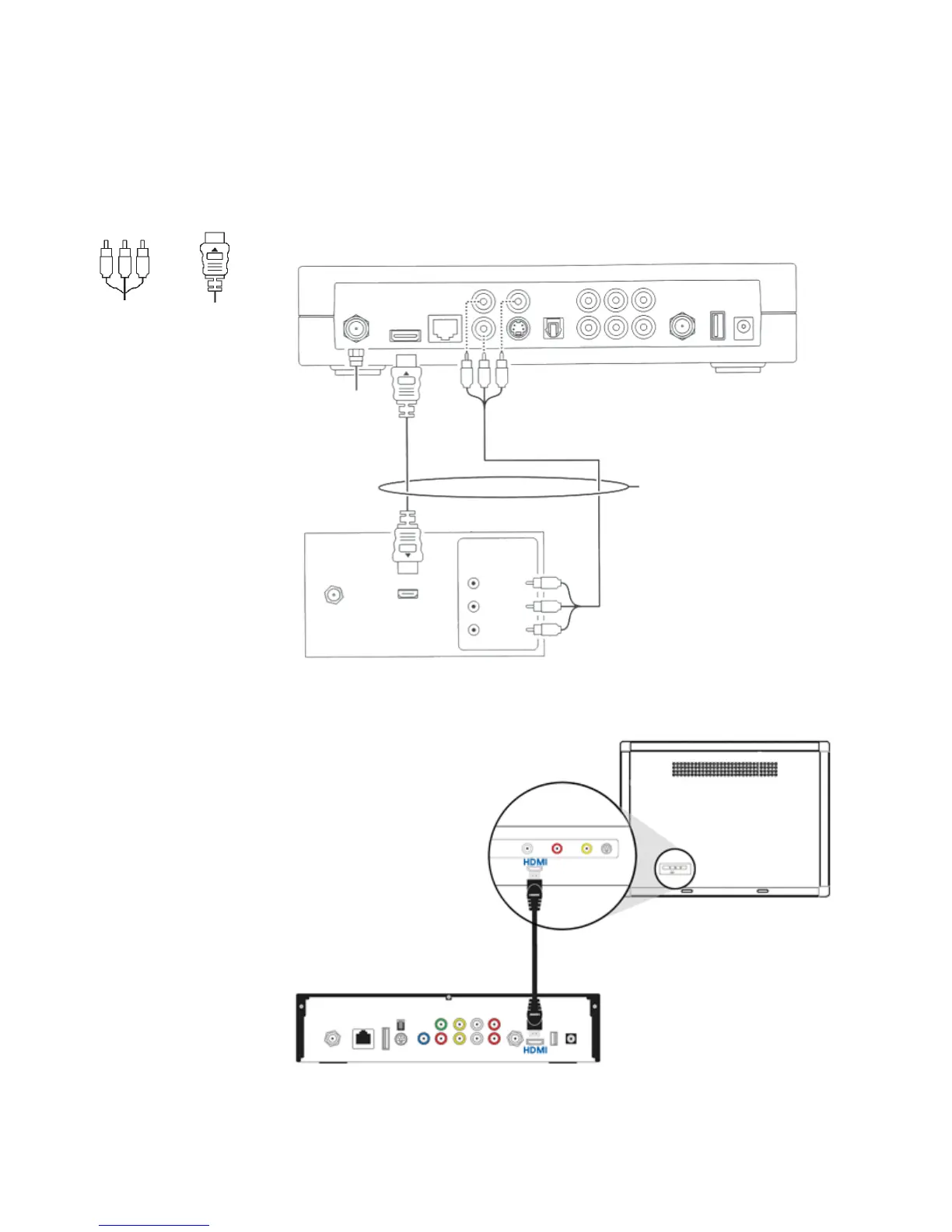
Connect to an HDTV – Video only
• To determine your best connection, refer to Video Connection Options
• If you are connecting to a DVI or Y Pb Pr input on your TV, a separate audio connection is required. Refer to
Connect to an HDTV – Audio Only
• If you are connecting to a home theatre receiver, refer to Connect to a Home Theatre – Audio Only
HDMIY Pb Pr
Set-top box
These connections serve the
same purpose, use only one
Video in
Sample HDTV
TO WALL
(VIDEO IN)
HDMI NETWORK
Pb
Pr
Y
S-VIDEO
OPTICAL
LR
VIDEO OUT AUDIO OUT
TO TV
(VIDEO OUT)
USB
POWER
+12V
DC
HDMI
CABLE/
ANTENNA IN
Component
Video Input
Y
Pb
Pr
VIP 1216 PVR
VIP 2262 PVR – Option 1



 To Next Page