7.20 Fan Drive
7.20.1 Fan drive – Adjust and check drive belt tension
Preconditions
☑ Engine shut down and starting disabled.
Special tools, Material, Spare parts
Designation / Use Part No. Qty.
Optibell 2 belt tension tester
Y4345711 1
Preparatory steps
1. Remove protective cover.
2. Check belt condition visually (→ Page 128).
Result: Measure for drive replacement (→ Page 138).
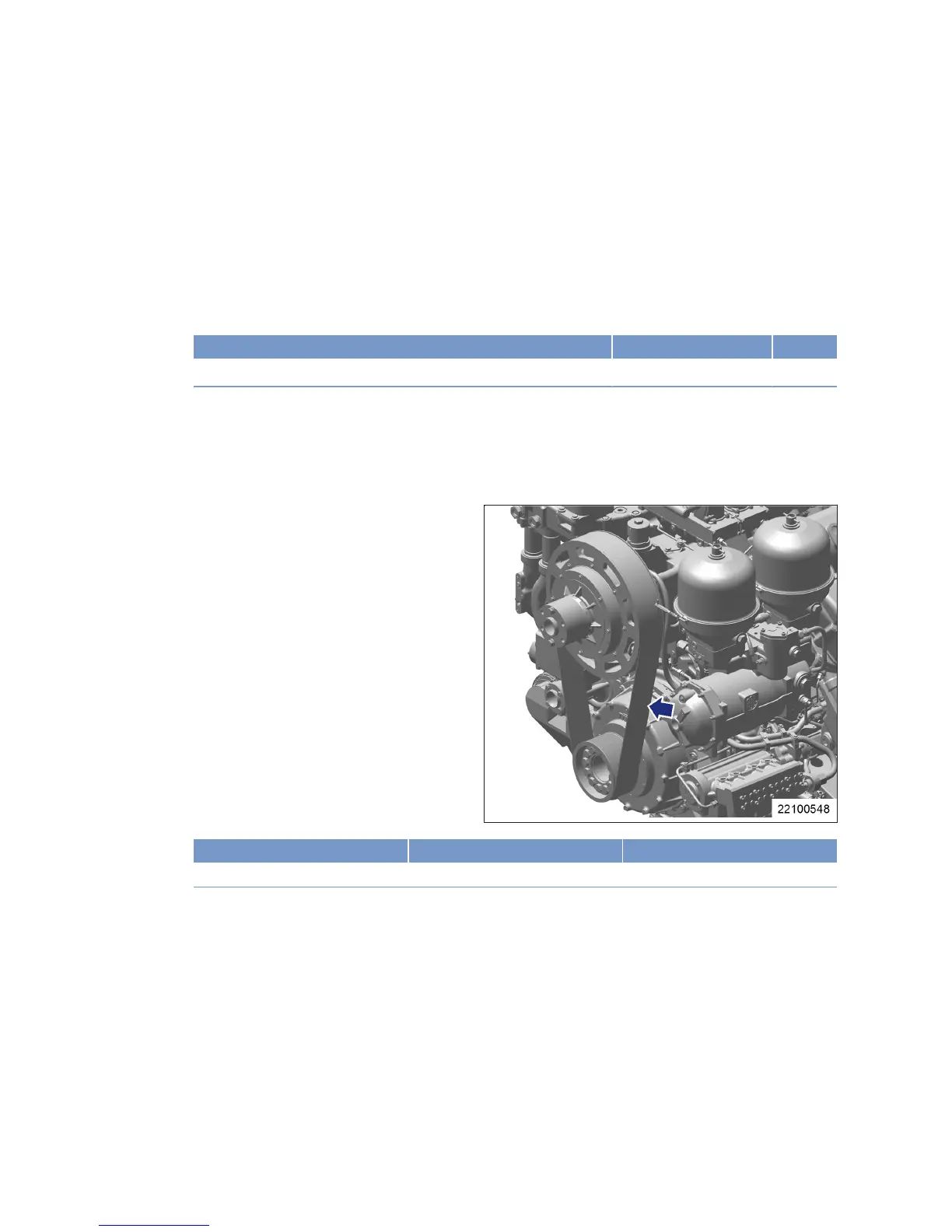
Check V-belt tension – fan coupling
Rockford S270
1. Switch on belt tension tester.
2. Hold measuring tip of belt tension tester
over belt drive. Tap drive belt (arrow) with a
suitable tool.
3. Hold belt tension tester over belt drive until
the measured value is indicated.
Initial assembly at MTU Initial operation with fan Belt tension adjustment
- 60Hz ± 1Hz 52Hz ± 1Hz
136 | Task Description | MS150049/02E 2012-11
TIM-ID: 0000040791 - 002



 To Next Page