Adjusting belt tension
1. Hold adjustment lever (2) at square (5).
2. Rotate adjusting lever until drive belt (4) is released.
3. Loosen screws (1) and (3).
4. Use assembly device to adjust distance (A) by turning adjustment lever (2).
5. Tighten screws (1) and (3).
6. Measure distance (A) with assembly device.
Final steps
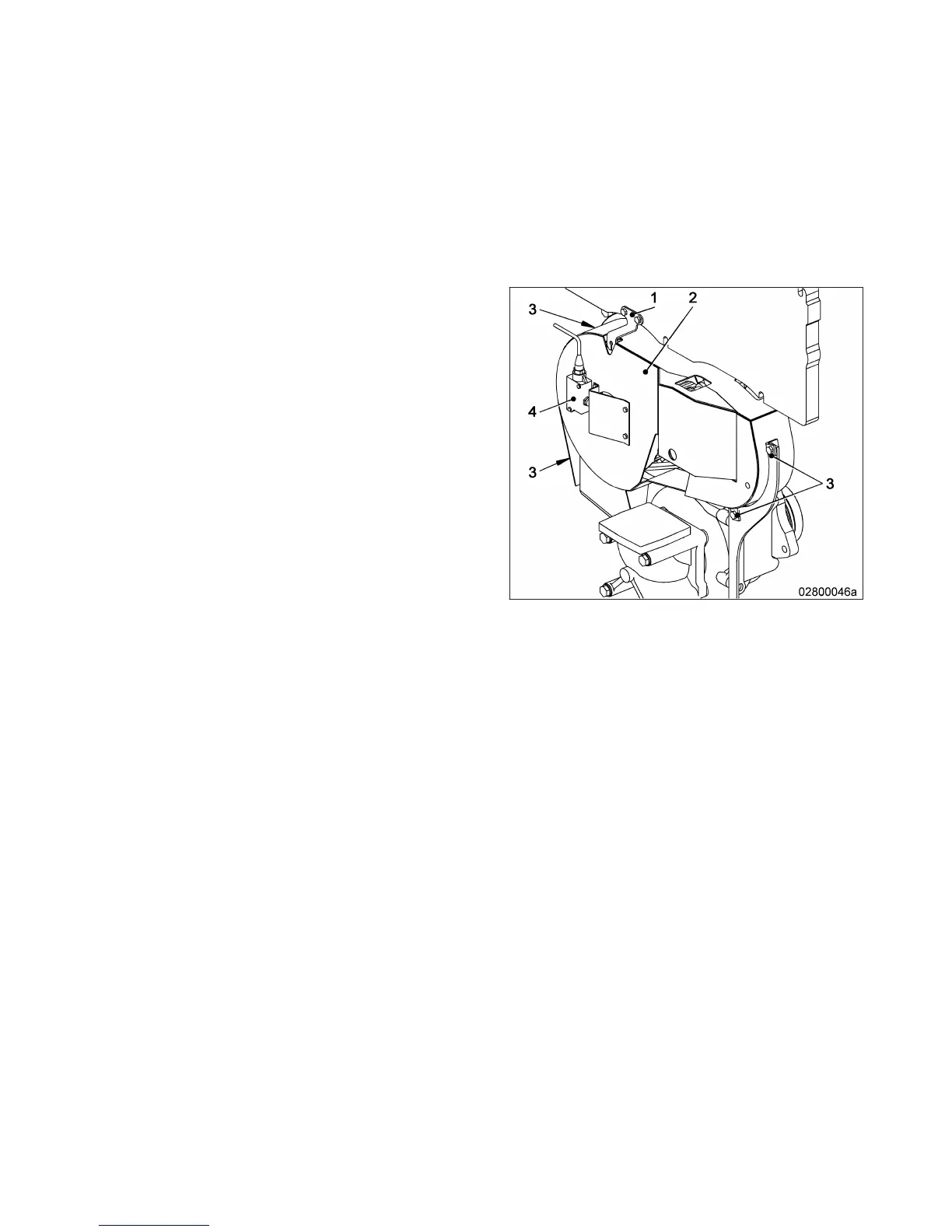
1. Install protective cover (2).
2. Install securing screws (3) of protective cover
(2).
3. Install indicator (1).
4. Install limit switch (4).
MW15409/04E 2015-08 | Task Description | 139
TIM-ID: 0000007388 - 004



 To Next Page