Video Grabber User Manual - v. 1.19 (FW 1.29)
4.1.1. Device information
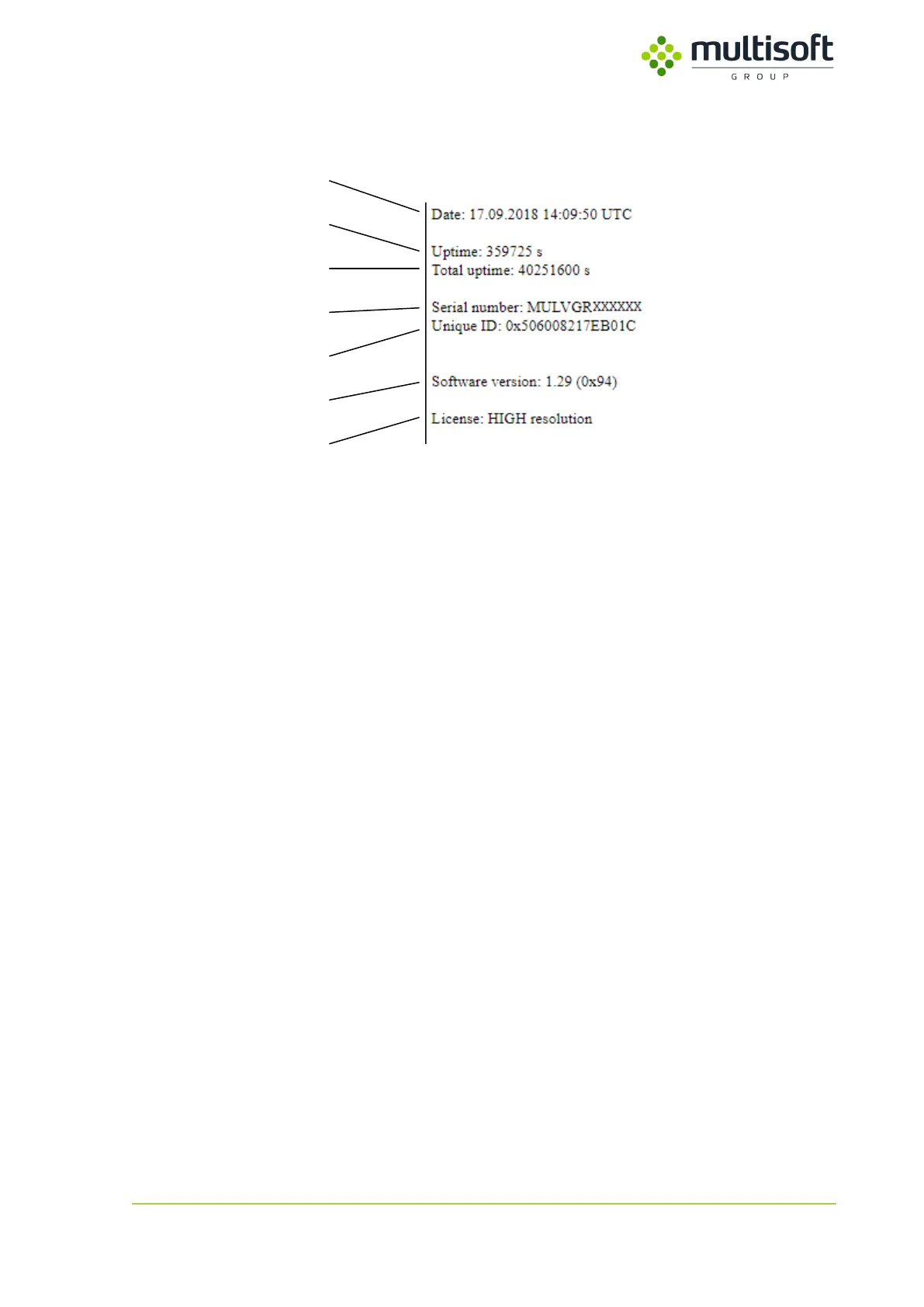
Figure 10: Device information section of the status page
In the first section of the Video Grabber’s status page one can find general information on the device:
1. Date and time – currently set date and time on the Video Grabber.
2. Uptime – number of seconds since last restart.
3. Total uptime – sum of all uptimes since the device was produced.
4. Serial number – unique number that identifies Video Grabber.
5. Unique ID – identifier of the main chip.
6. Software version – version of software installed on the device.
7. License – identifies a license type. Available license types:
a. HIGH – allows capturing of video signals with resolutions up to 2560x1600@60Hz
(dual link)
b. LOW – allows capturing of video signals with resolutions up to 1920x1200@60Hz
(single link)
See 3.2 on page 8 for a list of supported resolutions.



 To Next Page