Video Grabber User Manual - v. 1.19 (FW 1.29)
3. Device installation
3.1. Introduction
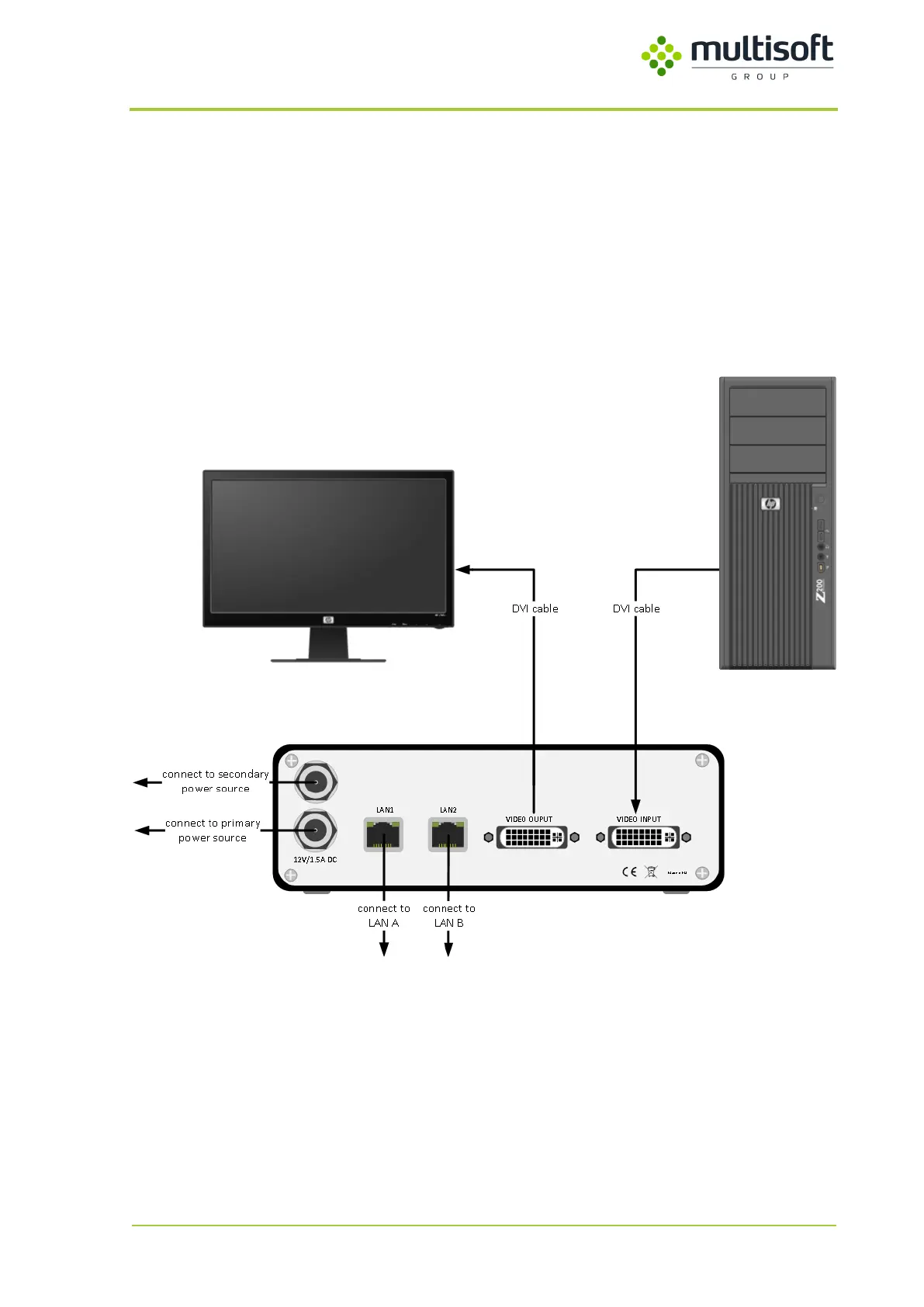
Video Grabber captures the video data that is sent by the computer to the display. To achieve that task
it has to be connected between those two devices (see figure below).
It is advised to turn off all equipment involved in cable connections (display, recorded computer
and Video Grabber) for the time of the installation.
Figure 5: Cable connections schema.
Note: Video Grabber has been enlarged for picture clarity.



 To Next Page