Video Grabber User Manual - v. 1.19 (FW 1.29)
3.2. Connecting video signal cables
Video Grabber has two DVI-I DL (Dual Link) connectors, one for input and one for output of the video
signal. Connect source signal (e.g. computer) to Video Input, and display (e.g. monitor) to Video
Output.
It is advised to use the same types of cables for input and output
It is strongly recommended to use single-link DVI cables when resolutions 1920x1200 and below are
recorded as some graphic cards generate noise on the unused link which in turn can affect the
recording. Use dual-link DVI cables only when higher resolutions are in use.
Video Grabber does not convert the signal from analogue to digital (and vice versa) so if analogue
signal is provided on the Video Input then analogue signal will be provided by the Video Grabber on
the Video Output (same with digital signal – if digital signal is provided on the Video Input then digital
signal will be provided by the Video Grabber on the Video Output).
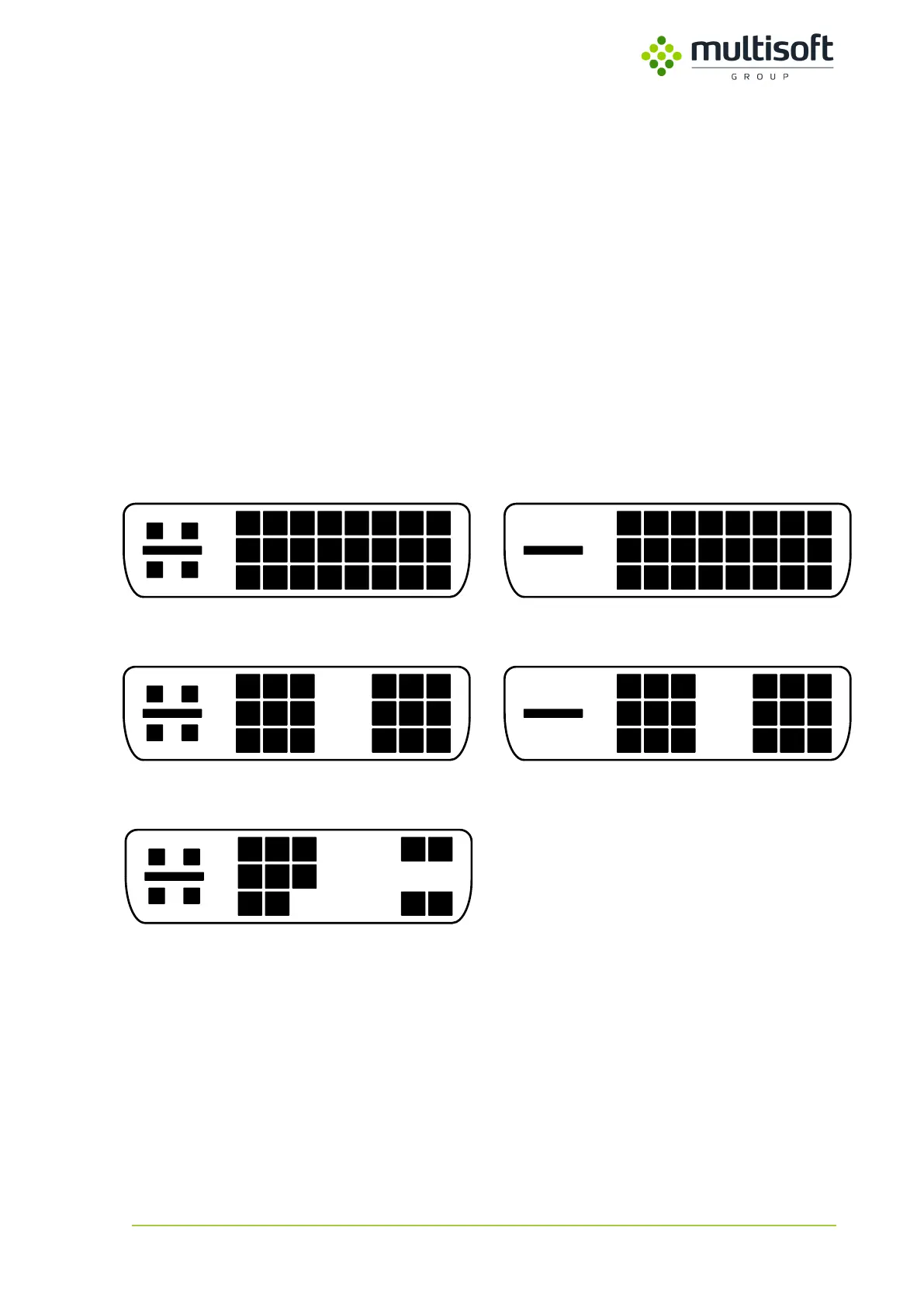
DVI-I (Dual Link)
DVI-D (Dual Link)
DVI-D (Single Link)DVI-I (Single Link)
DVI-A
Figure 6: Types of DVI cable connectors
Video Grabber has been tested with various screen resolutions and refresh rates. See the list of
supported (tested and verified to work) monitor resolutions in tables below. Resolutions that are not
on the list may still work, but they have not been tested.



 To Next Page