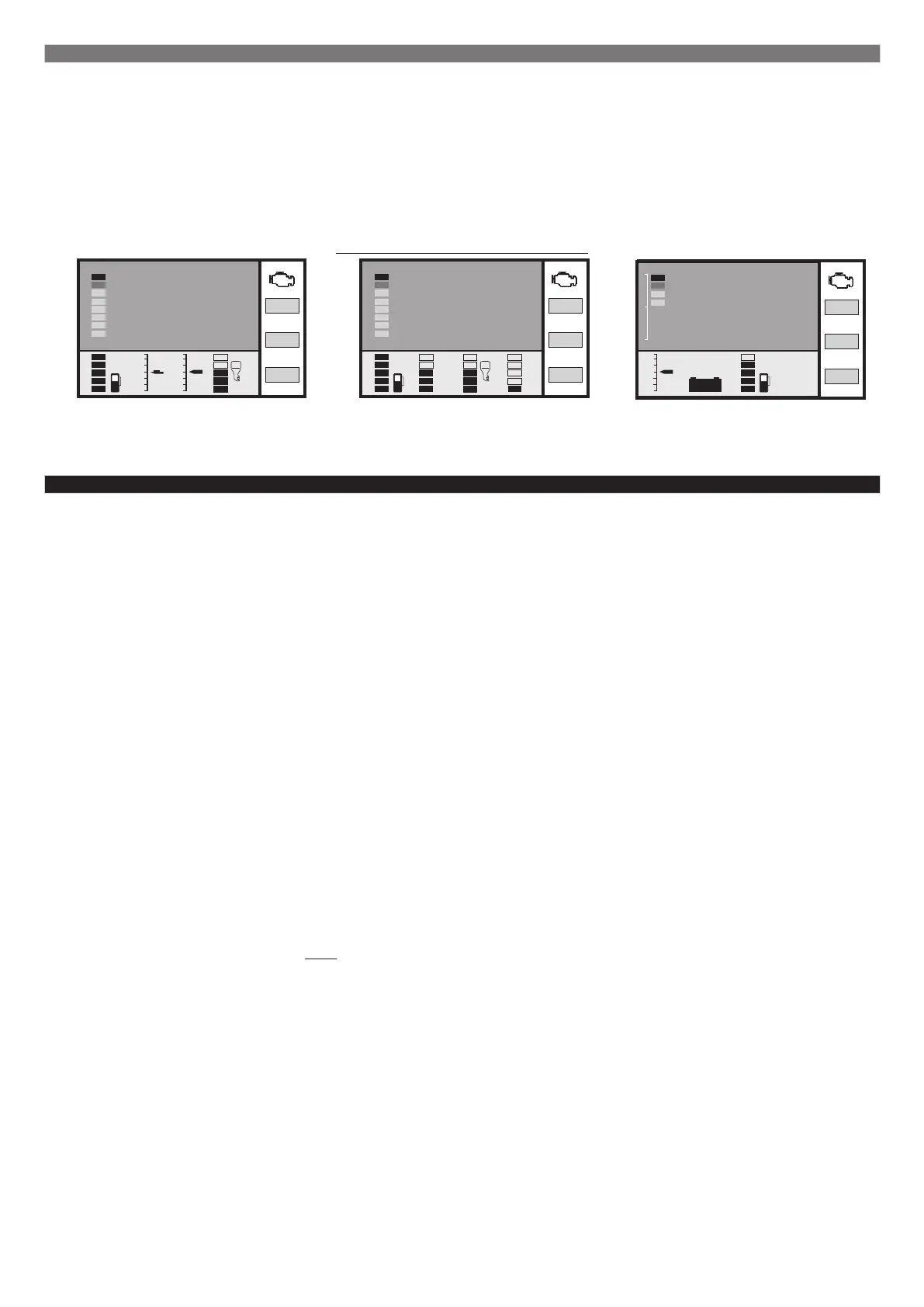
5.5. Display with 5 parameters
This display is designed for the most comfortable perception of information. Digital representation of parameters is
combined with graphical.
To switch between parameters press and release € or ‡.
To select parameters that will be shown in the bottom part of the screen go to the “Settings display - Display - Digital -
Params setting x 1 - Add.panel sett.”.
The additional panel on the right shows 4 parameters which can be seen on all displays. To chose wanted parameters go
to the “Settings display - Display - Add.panel”.
Examples of customized displays:
20
10
-10
Tri
3
-3
48
Speed, km/h
fuel left
pitch
trim
roll
20
Tri
2450
rpm
Cool ТмТм
fuel left
trim
engine oil
temperature
coolant temp.
6). The average display
To access the “Average parameters display” press and release the "PAR" button.
All average parameters are divided into 4 displays.
To switch between displays press and release € or ‡ .
Reset of average parameters is performed independently.
A short press on the “F” button calls out the “Average hot menu”.
6.1. The "Average/Trip" display. The parameters are calculated per one trip period. Average parameters in this display
are reset automatically each time the ignition switch is turned on if an uninterrupted trip has been set. Manual reset of
parameters is also possible.
6.2. The "Average/Reset1" display. Parameters are calculated from reset to reset. In the “Settings display” you can
select the interval of automatic parameter reset from 1 to 99 days. It is possible to set the manual reset only. This
display is designed to monitor weekly, monthly or seasonal trip statistics.
6.3. The "Average/Reset2" display (Refueling). Parameters are calculated from refueling to refueling. In the mode “Tank
calculated” the reset will be performed at any increase of fuel in tank. In the mode “Tank FLS ECU” the reset will be
performed at an increase of the fuel in tank not less than 20% of the tank volume. In addition it is possible to set the
same reset interval as in the “Average display/reset1.
6.4. The "Average/Storage” display. This display is recommended to use for getting general trip statistics. The reset of
average stored (cumulated) parameters is not performed.
Each display of the average parameters has a corresponding calculation of trip costs.
The “Average display” shows 7 basic parameters:
Time - runtime with engine turned on
Mileage - quantity of covered kilometers
Fuel - quantity of consumed fuel
Speed - average speed
Fuel per 100 km - average fuel consumption per 100 km
Fuel per hour - average hourly fuel consumption
Trip cost - cost of trip
Cost = (fuel cost) + (cost of 1 km)*(mileage) +
+ (cost of 1 hour trip) * (time);
Fuel cost = (fuel consumption per trip) * (fuel cost per 1 liter)
For any of the six “Average parameters displays” the cost of 1 liter of fuel and the cost of the trip per 1 km and 1 hour are
the same and can be set in the “Settings display” - “Average parameters”.
6.1. The average hot menu
The “Average hot menu” gives quick access to functions from the “Settings display - Average”. To activate the “Average
hot menu” press “F” when in the “Average display”.
Press € ‡ to select the wanted line and confirm by pressing “SET”.
To exit the hot menu press and release “ESC”.
To customize the hot menu go to the “Settings display”: select the line you want to see in the hot menu, press and
release “F”, then press “SET” to confirm. The digit on the left of the line shows sequence of the line in the hot list.
To reset the hot menu go to the “Settings display” - “HotLists clear.” - “Average”.
-16-
16
Pitch, deg
18:21
10
-10
fuel left
time
roll
3
-3
13.2V
voltage
Т cyl.
71
trim
7
rpm
2560
Т cyl.
71
trim
7
rpm
2560
Т cyl.
71
trim
7
rpm
2560


 To Next Page
 Loading...