36
Fax
Press <Basic / Advanced View> on the fax ready screen.
2
2
1
Set the document.
2
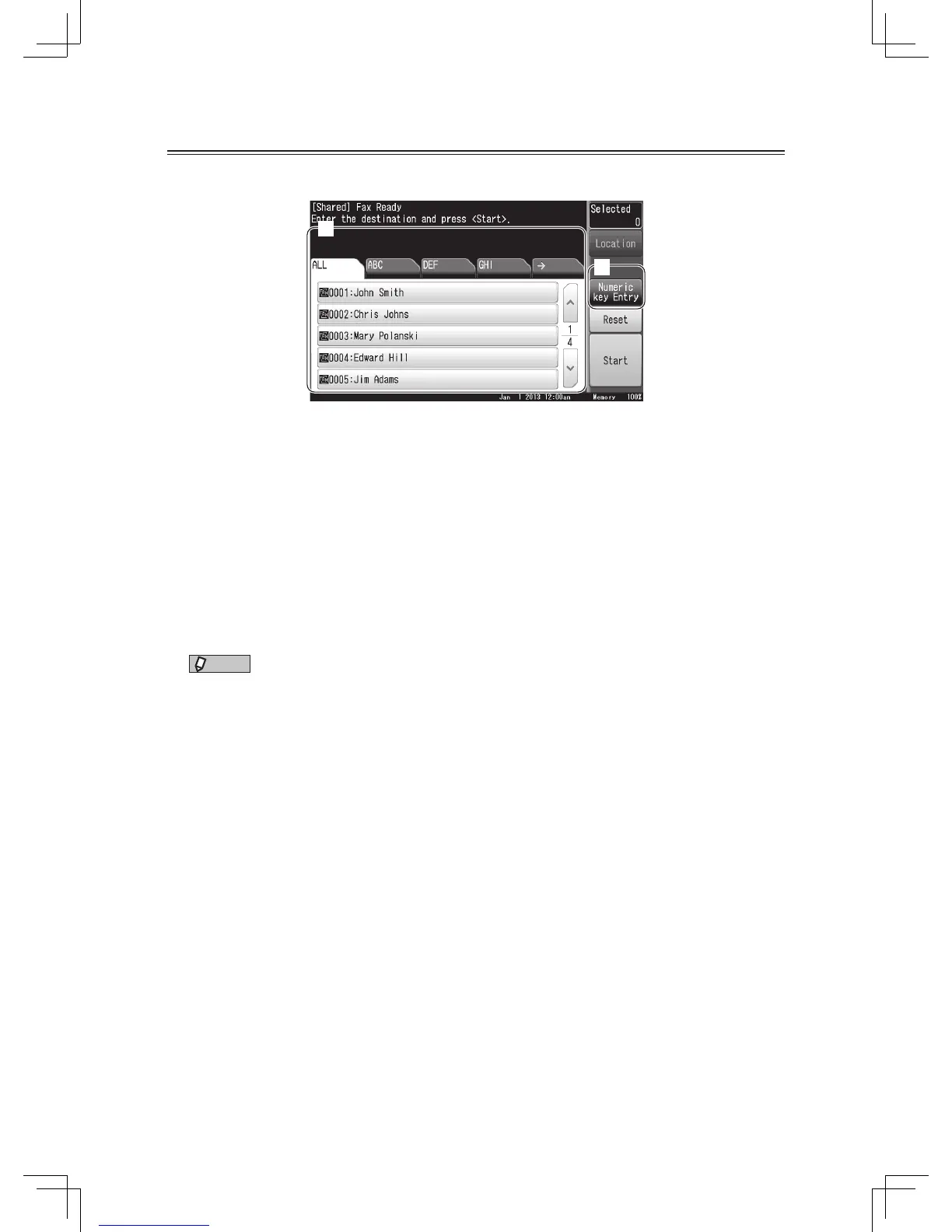
Select the destination.
When you have loaded the document in the automatic document feeder, the procedure is
complete and the transmission will begin.
3
Set the next document and press [Next Doc].
• Repeat this step to scan all pages of the document.
• When you have loaded all of the pages, go to the next step.
4
Press [Tx Start].
Transmission begins.
NOTE
The destination should be registered in address book, in advance. For details, see
“Registering e-mail and fax destinations” (page 40).
or
1
Set the document.
2
Press [Numeric key Entry], and enter the fax number.
3
Enter the fax number and press [Enter].
• You can use either the keys on the display or the numeric keys.
• Press [Clear] to delete one number, [All Clear] to delete all displayed numbers.
4
Press [Start] or <Start>.
When you have loaded the document in the automatic document feeder, the procedure is
complete and the transmission will begin.
5
Set the next document and press [Next Doc].
• Repeat this step to scan all pages of the document.
• When you have loaded all of the pages, go to the next step.
6
Press [Tx Start].
Transmission begins.












 To Next Page