Configuration/settings
User manual 55530_hdb_en_16 114 / 156
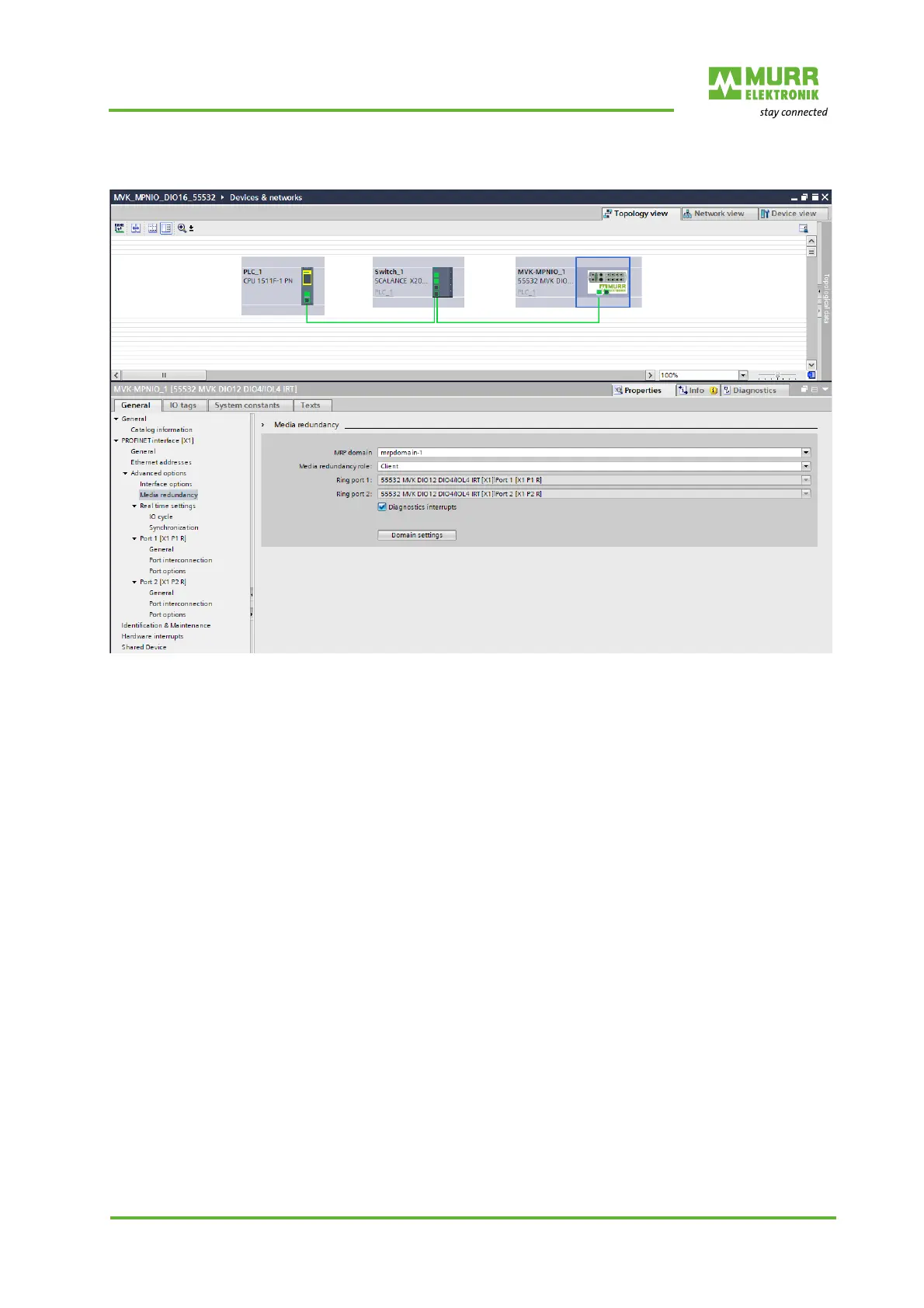
Setting up an MRP cli-
ent
Fig. 8-42: Setting up an MRP client
1 | Select the MVK-MPNIO module.
2 | Navigate to the menu item PROFINET interface | Advanced options |
Media redundancy.
3 | With “Media redundancy role”, set Client.
4 | Enable Diagnostic interrupts.
Note:
The MVK-MPNIO module must be in the same MRP domain.



 To Next Page
 Loading...