ValueCut User Manual
Illustrator Plug-In A-5
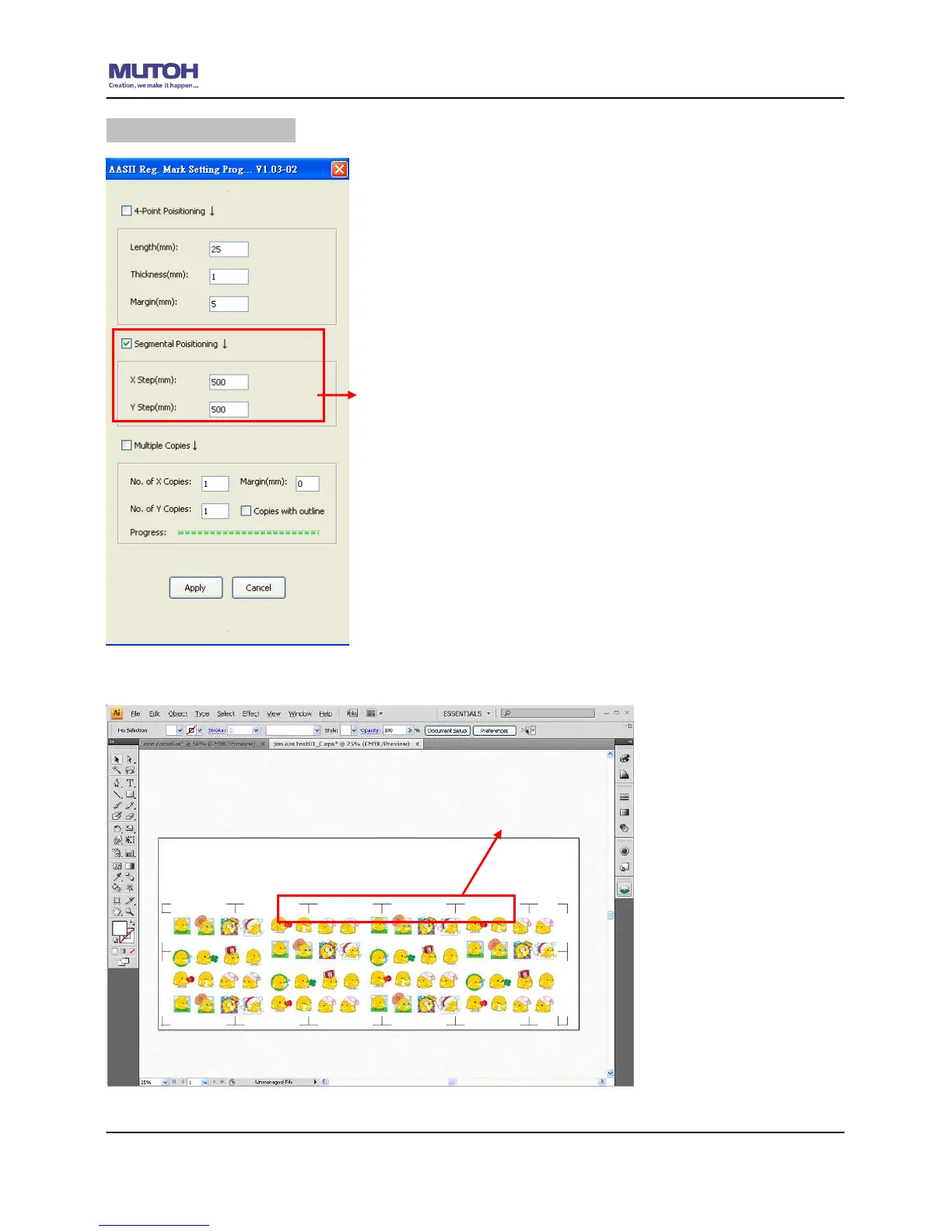
Segmental Positioning
For precise cutting quality, it is suggested to select “Segmental
Positioning” when you are working on an extra long or
large-sized image to increase cutting accuracy.
Segmental Positioning
X Step: The distance of intermediate position on the X
axis
Y Step: The distance of intermediate position on the Y
axis
Range: 200mm~600mm
Optimized Setting: Less than 500mm
The system will create the marks as shown in the picture below
Segmental Positioning










 To Next Page