ValueCut User Manual
Installation 2-18
Step 1:
Connecting your Mutoh cutter
1. Turn on the machine.
2. Connect the USB connector to the machine and then USB driver will installed
automatically. It will take a few minutes to find the device. Please DO NOT disconnect
the USB cable until the installation has completed.
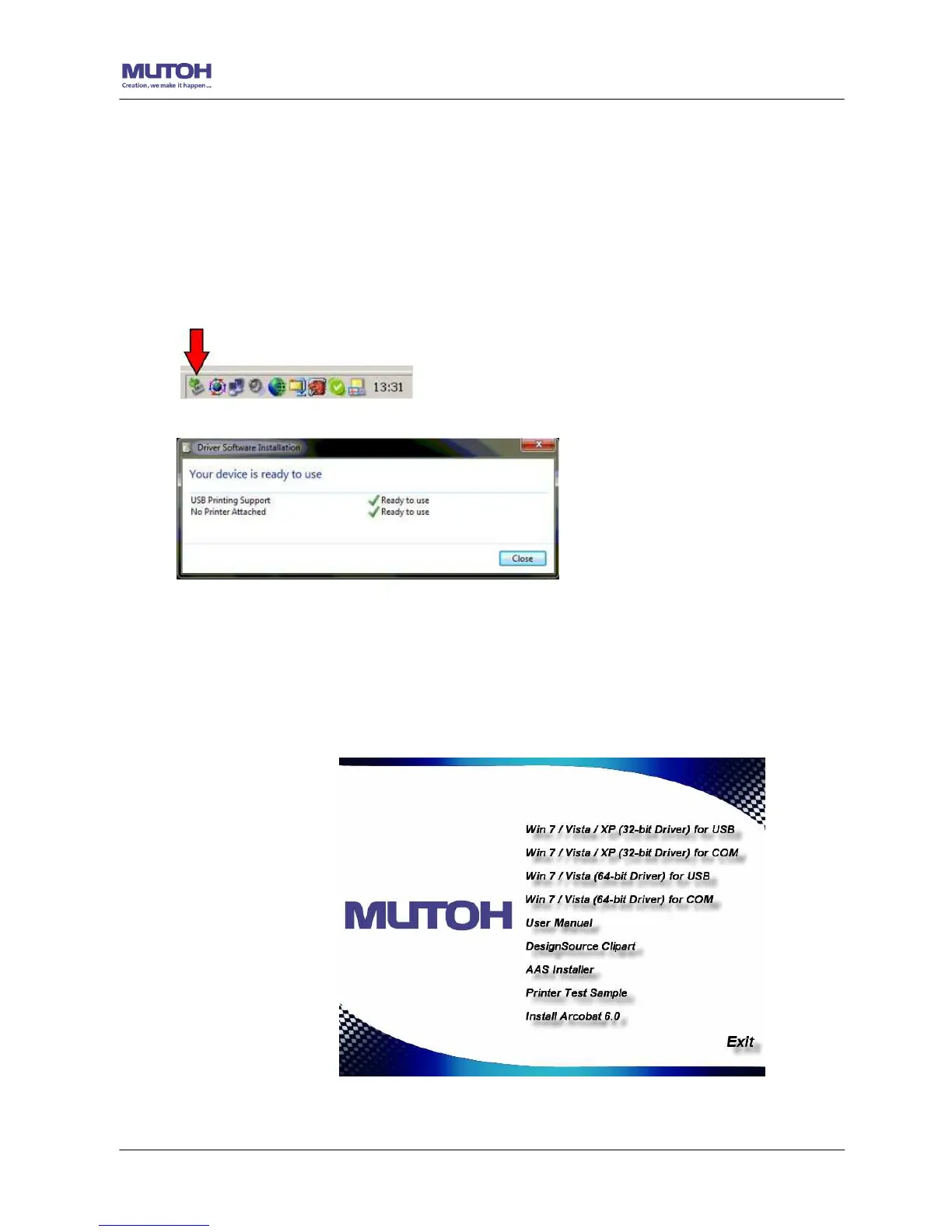
3. You can double click the USB icon on the taskbar to make sure the USB device is
detected.
Step 2:
Installing the software
(1) Put the installation CD into your CD-ROM. Please make sure that the USB device is
connected before you start the driver installation.
(2) Choose either the 32 bit or 64 bit driver installation depending on the operating
system installed on your computer to start the installation.










 To Next Page