ValueCut User Manual
Accu-Aligning System
5-8
Step 2 Placing the Registration Marks
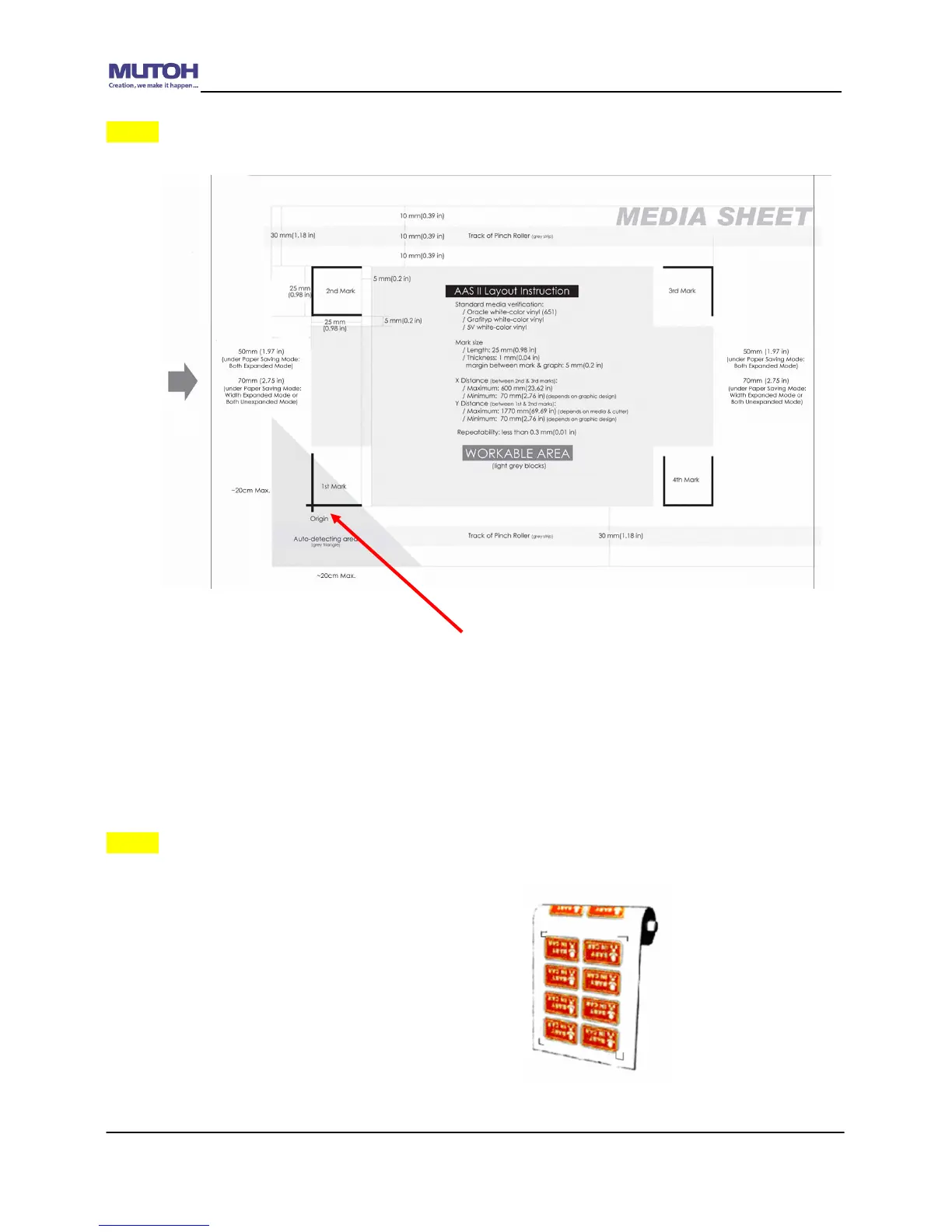
The AAS Layout Instruction:
* Auto-detection function on the 1
st
mark covers the grey area
Suggested 30mm margin on both left and right sides of media sheet.
Suggested 50-70 mm margin on top and bottom edge of the media sheet to
prevent sheets dropping or any error occurred while media sizing.
Step 3 Print the Graphics
Print the graphic and the marks with your printer
(Scaling = 100%).
When printing on a roll media, make sure the orientation as following:










 To Next Page