ValueCut User Manual
CorelDRAW Plug-In A-4
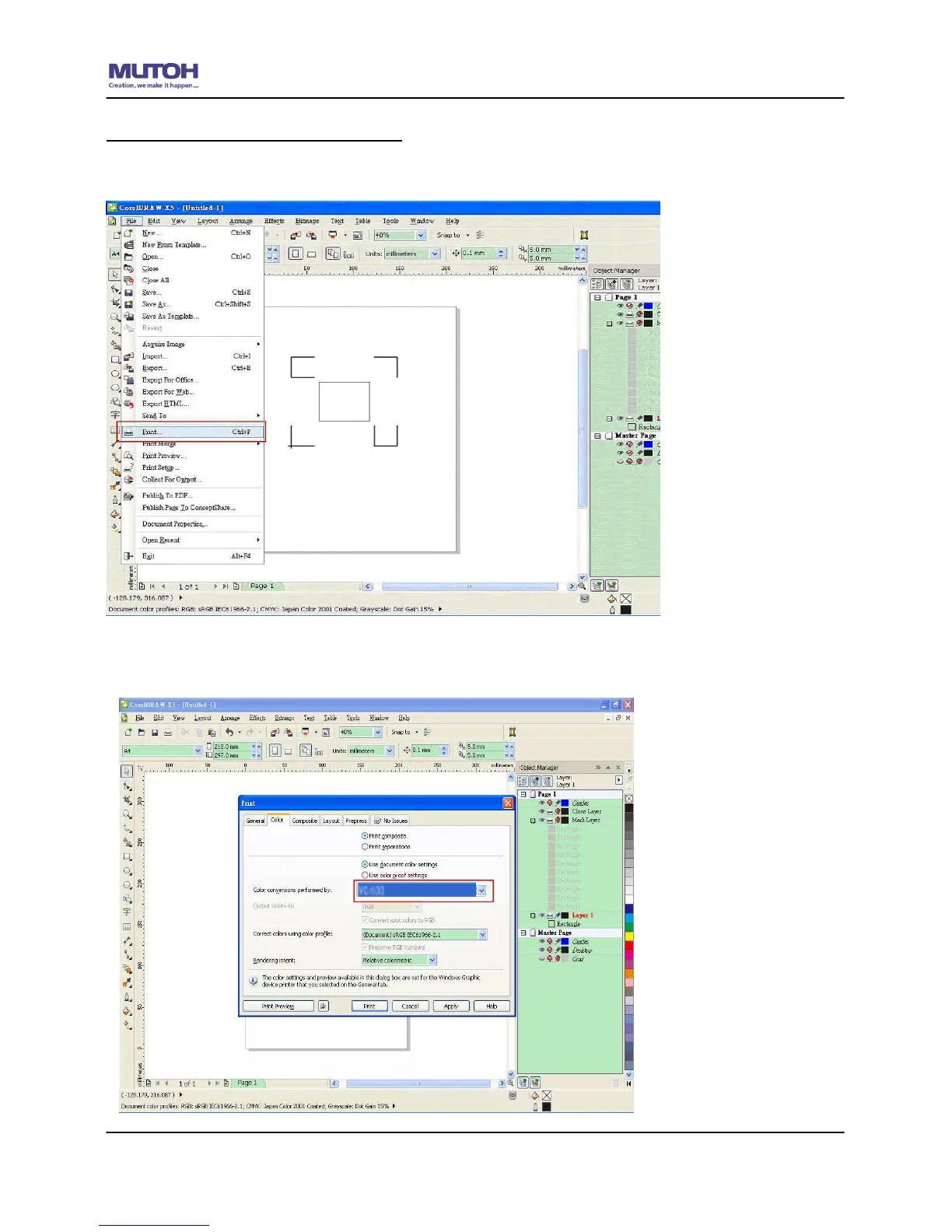
Contour cutting through CorelDraw
Step 1: Position the paper with registration marks printed by your printer on the cutter.
Step 2: Select “FilesPrint”.
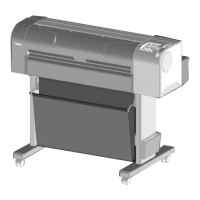
Please note that if you use CorelDraw X5, you must follow the steps below.
Click the “color” page and go to the “Color conversions performed by:” and then select the
model name of you cutter.










 To Next Page