Setting up media 15
1Printing
Setting up media
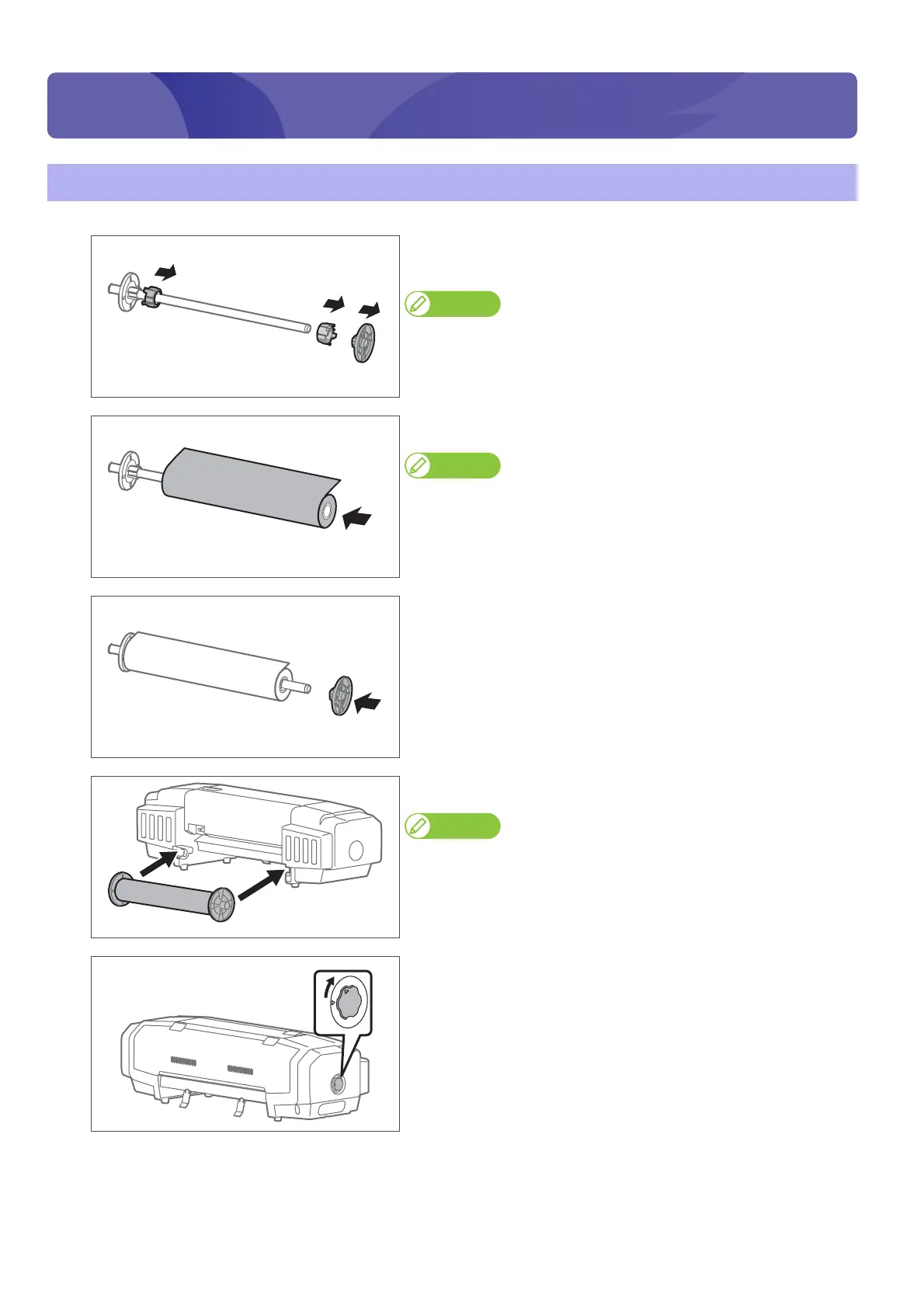
[1]
Remove the 3 inches adaptor and media stopper (movable) from the
scroller.
Note
When using a roll media with 3 inches paper tube diameter, leave the 3 inches
adaptor on.
[2]
Attach a roll media to the scroller.
Note
• Attach the media in the rolling direction to be the same with the figure.
• Push in the roll media so that there is no space with the media stopper
(fixed).
[3]
Push in the media stopper (movable) until there is no space with the
roll media.
[4]
Attach the scroller to the scroller receivers.
Note
Attach the media stopper (movable) to face to the right, when this product is
looked from its back.
[5]
Turn the media fixing knob to release the lock.
Printing















 To Next Page