Setting the heater 41
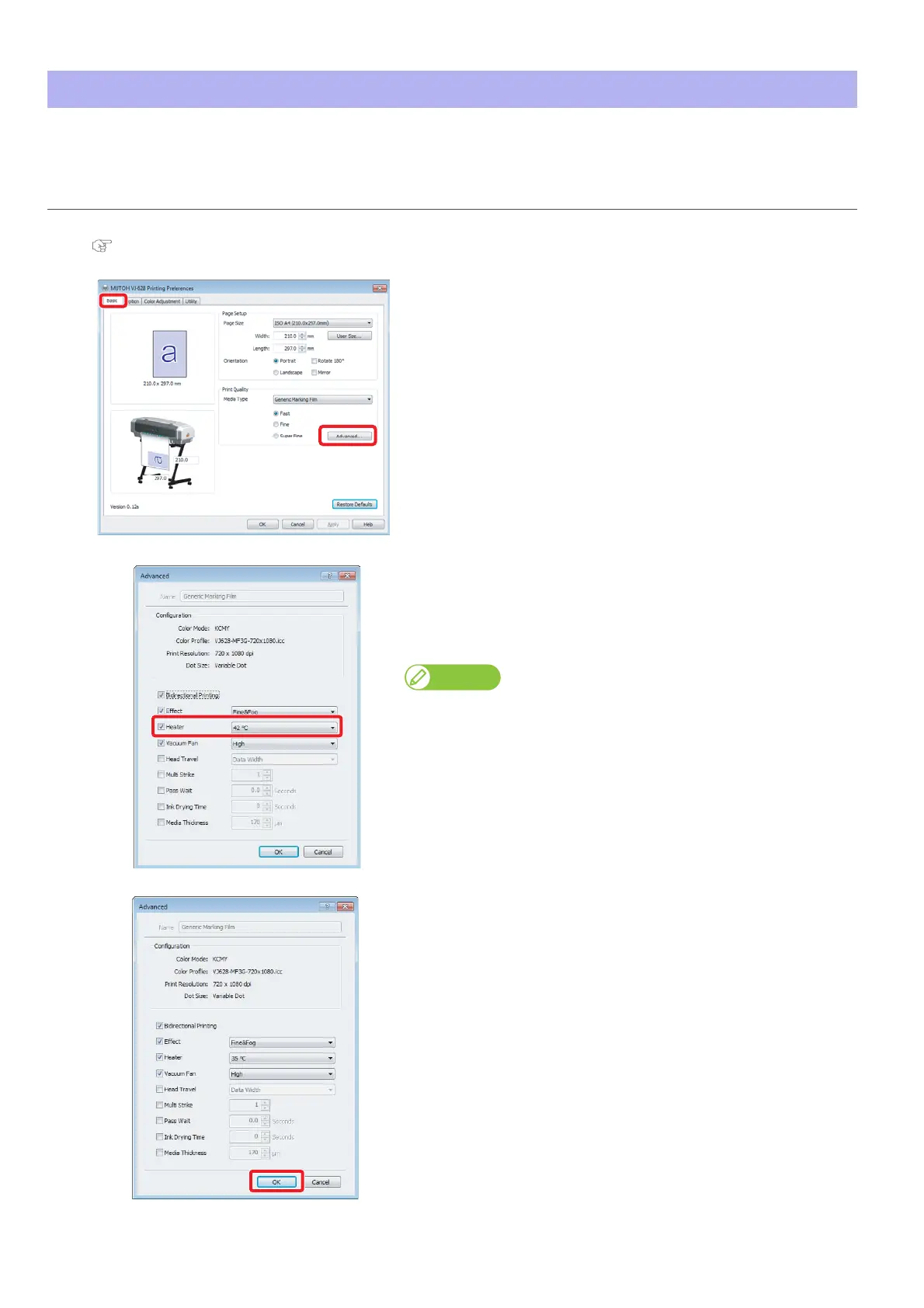
Functions of the heater are to warm up media before and after printing to improve print quality and promote fast drying. If the
heater setting is changed matching the thickness or material of media, better results can be obtained.
Setting the heater
Steps
[1]
Display the Printing Preferences screen of printer driver.
"Displaying the Printing Preferences screen of printer driver" on page 8
[2]
Click the [Advanced...] in the [Basic] tab.
[3]
In [Heater] menu of the [Advanced] tab, enter a temperature.
• It can be set to OFF, or between 30 °C and 45 °C.
• Since the most suitable temperature differs depending on media,
conduct test print.
Note
• If the checkmark is removed from the checkbox, the setting already
registered in the printer’s main body has priority.
• The same can be also done with the remote panel of VSM.
Set in the [Heater] menu of the [Advanced] tab.
[4]
Click [OK].
• The setting is reflected in this product.















 To Next Page