Replacing ink cartridge 47
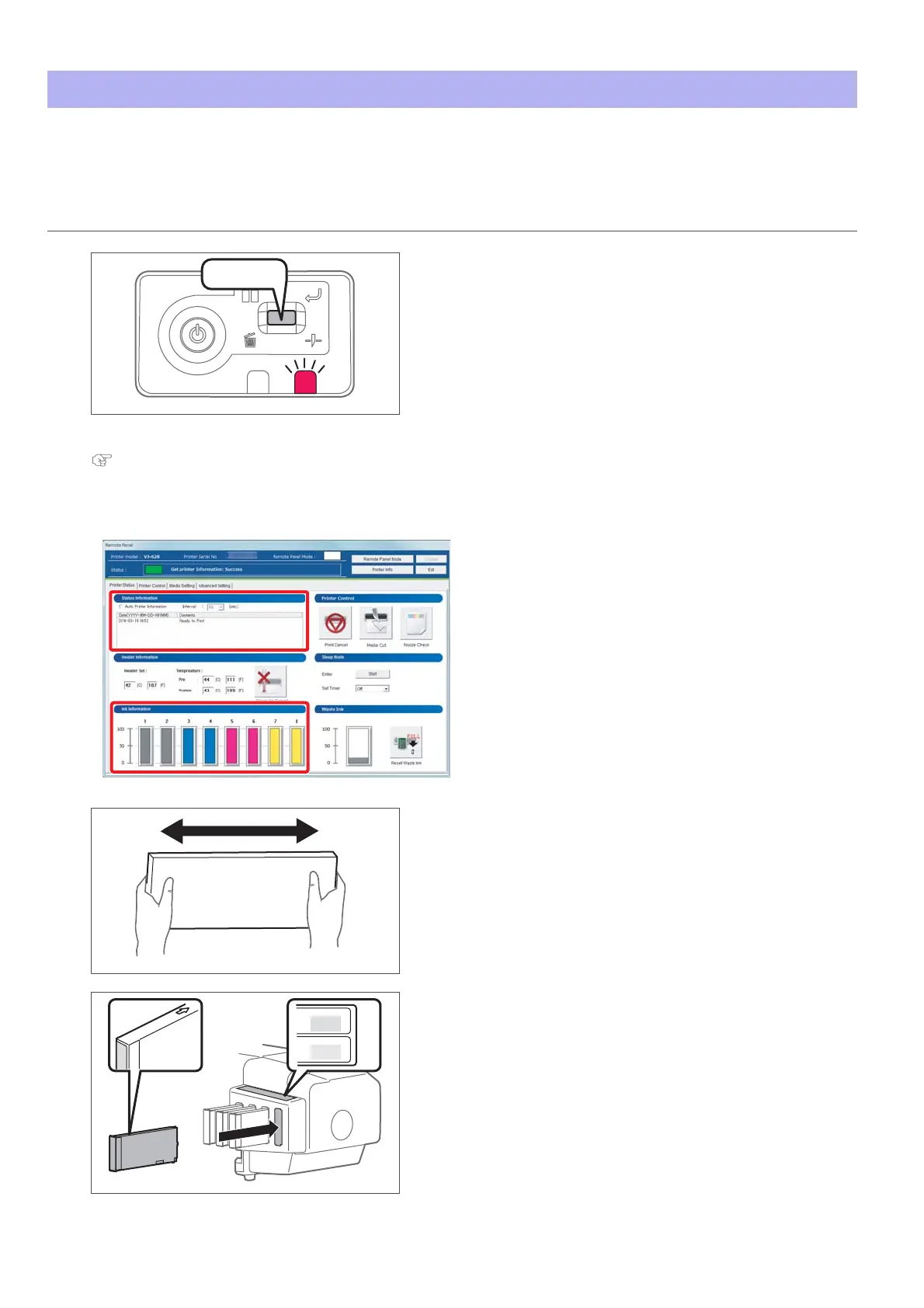
When ink level becomes low, the error LED of the operation panel flashes and a buzzer sounds.
Printing pauses temporarily. It restarts after changed with a new ink cartridge.
Replacing ink cartridge
Steps
[1]
Short press the operation key on the operation panel.
•The buzzer stops.
[2]
Check the ink cartridge that needs to be replaced.
"Checking ink level" on page 45
• Check [Status Information] also.
[3]
Shake the ink cartridge 2 or 3 times lightly.
[4]
Remove the empty ink cartridge and insert the new one.
• Make sure to match the ink cartridge color with the label of this
product.
• The arrow should face up.
• Insert all the way to the end.
Press!
Y
LM
slot 8
slot 8















 To Next Page