Nozzle check and cleaning 27
Before starting everyday operation, please check the nozzle. If nozzle clog is found, conduct cleaning.
Nozzle check and cleaning
1. Nozzle check steps
[1]
Display the Printing Preferences screen of printer driver.
"Displaying the Printing Preferences screen of printer driver" on page 8
[2]
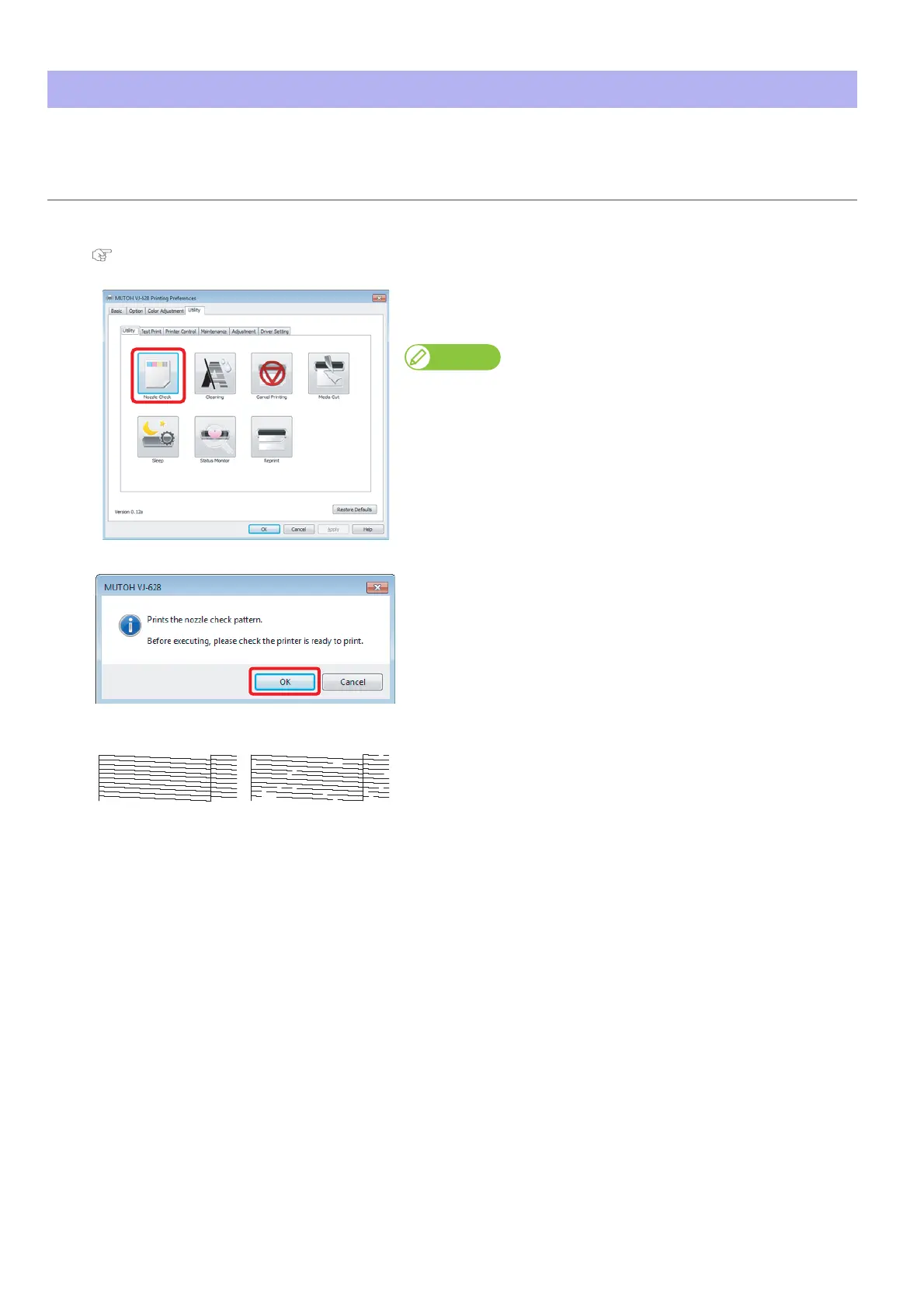
Click [Nozzle Check] in the [Utility] tab under the [Utility] tab.
• The “MUTOH VJ-628” window opens.
Note
The same can be also done with the remote panel of VSM.
[3]
Click [OK].
• A pattern is printed.
[4]
Check the pattern.
• When there is nozzle clog, proceed to "Cleaning steps" on page 28.
• When there is no nozzle clog, proceed to "Starting printing" on page
29.
No nozzle clog Nozzle clogged















 To Next Page