24 Adjusting image quality
[5]
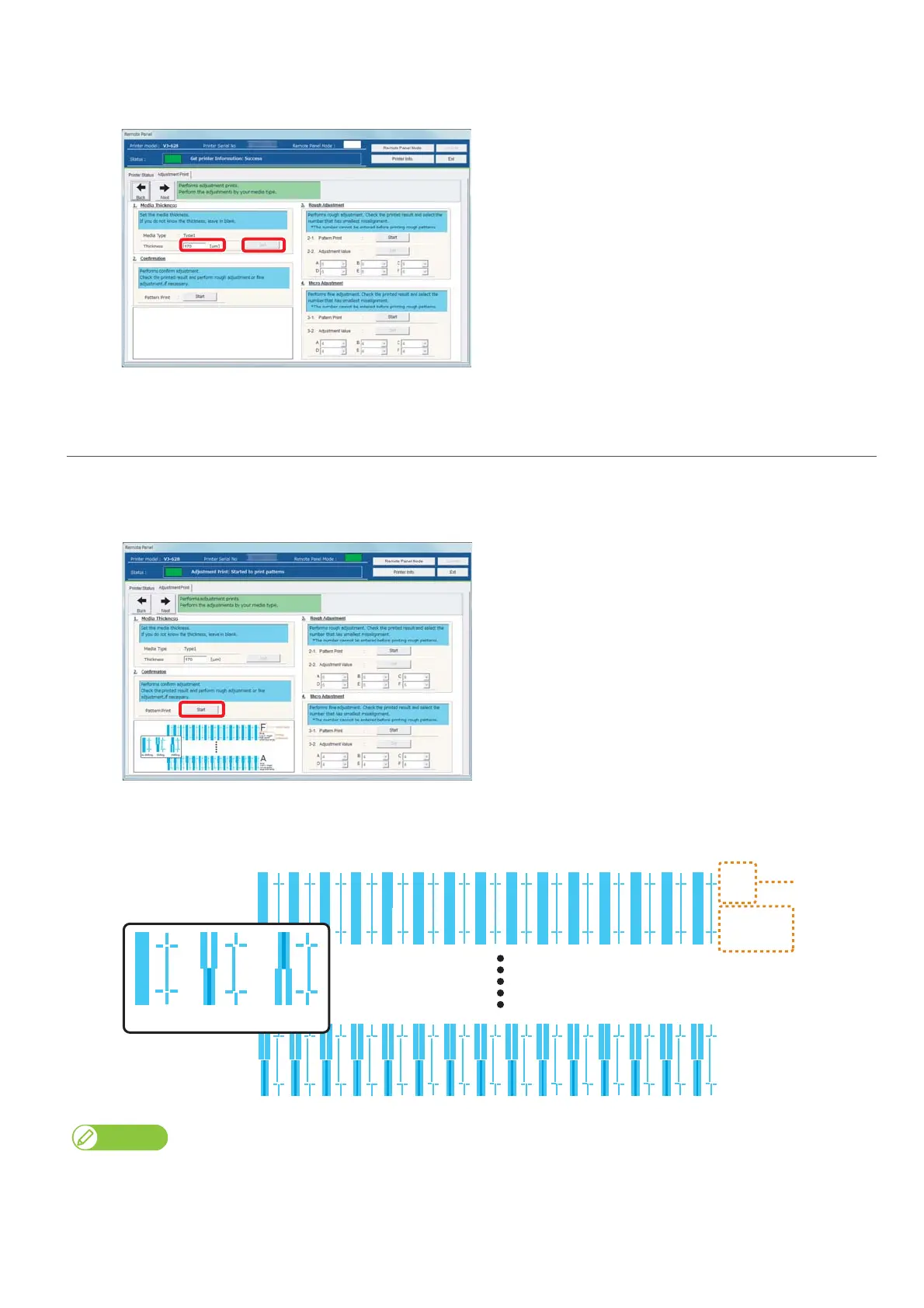
Enter [Thickness] ([μm]) in [1. Media thickness], and click [Setting].
• Enter the thickness of a set media.
2. Checking picture quality
[1]
Click [Start] in [2. Confirmation].
•Patterns are printed.
[2]
Check from Pattern A to Pattern F, and if there are misalignments, proceed to "Rough adjustment" on page 25.
• In the example below, there are misalignments in Pattern A.
The example is 4 colors setting. When using 6 colors to 8 colors, the pattern color is in Magenta (red type color). The pattern color of rough
adjustment and micro adjustment is the same.
Bi-dir
Low H. Height
normal speed
large drop family
Bi-dir
Low H. Height
high speed
small drop family
A
F
Print setting
Pattern name
Good Not Good Not Good















 To Next Page