Adjusting image quality 25
3. Rough adjustment
[1]
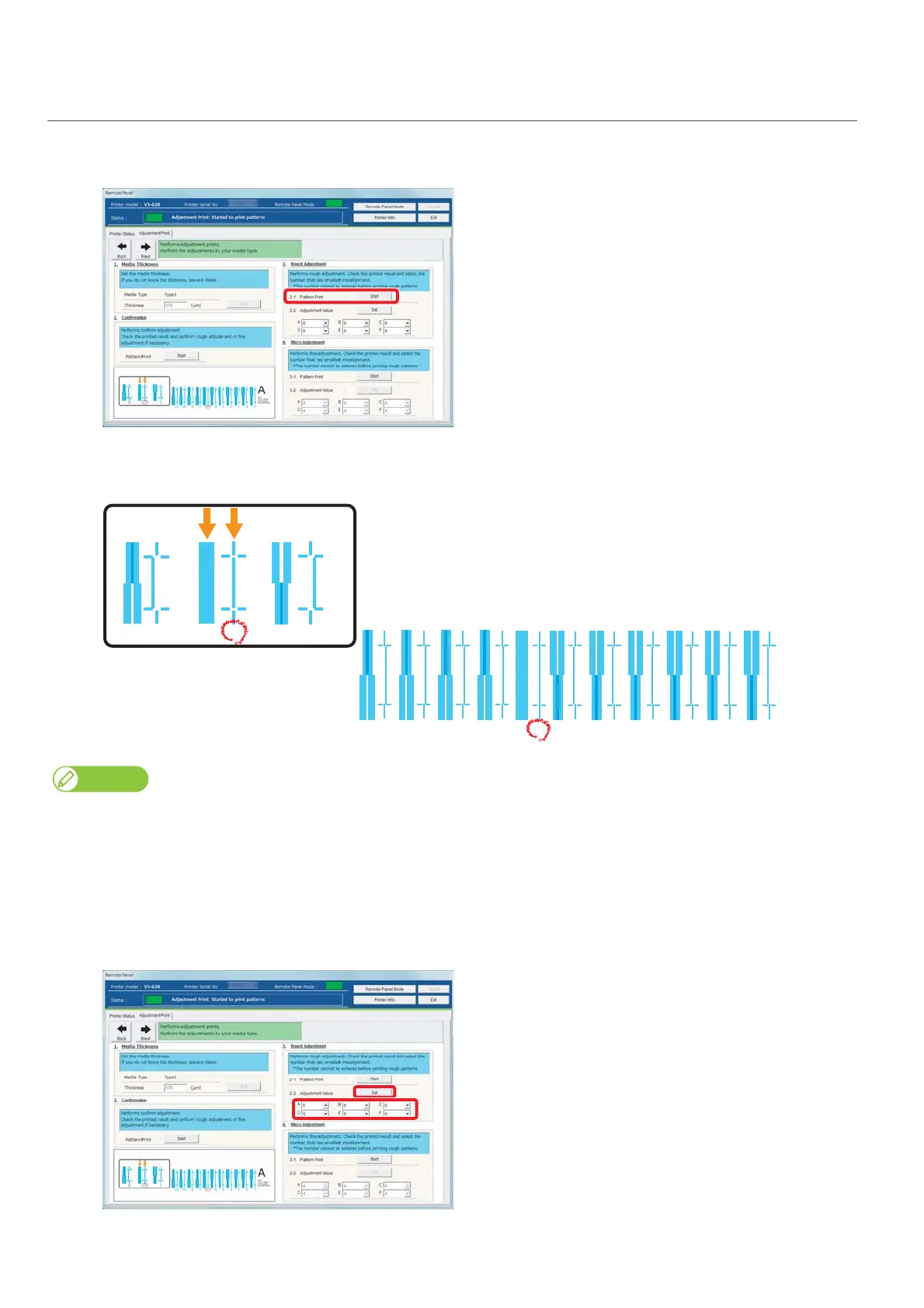
Click [Start] in [3-1 Pattern Print] of [3. Rough Adjustment].
• Patterns are printed.
[2]
Look for and mark a number printed under a pattern that has least misalignment in Pattern A.
• The same pattern (A to F) is printed repeatedly in the center and both edges of media.
Even in the same pattern, the number that has no misalignment may be different between the center and both edges of media. In such a
case, look for a number that has the least misalignment in average.
[3]
Mark a number likewise from Pattern B to Pattern F.
[4]
Enter marked values in A to F of [2-2 Adjust Change] in [3. Rough Adjustment], and click [Setting].
•Proceed to "Micro adjustment" on page 26.
1234567891011
A
Bi-dir
Low H. Height
normal speed
large drop family
678















 To Next Page