28 Correcting paper feed
[4]
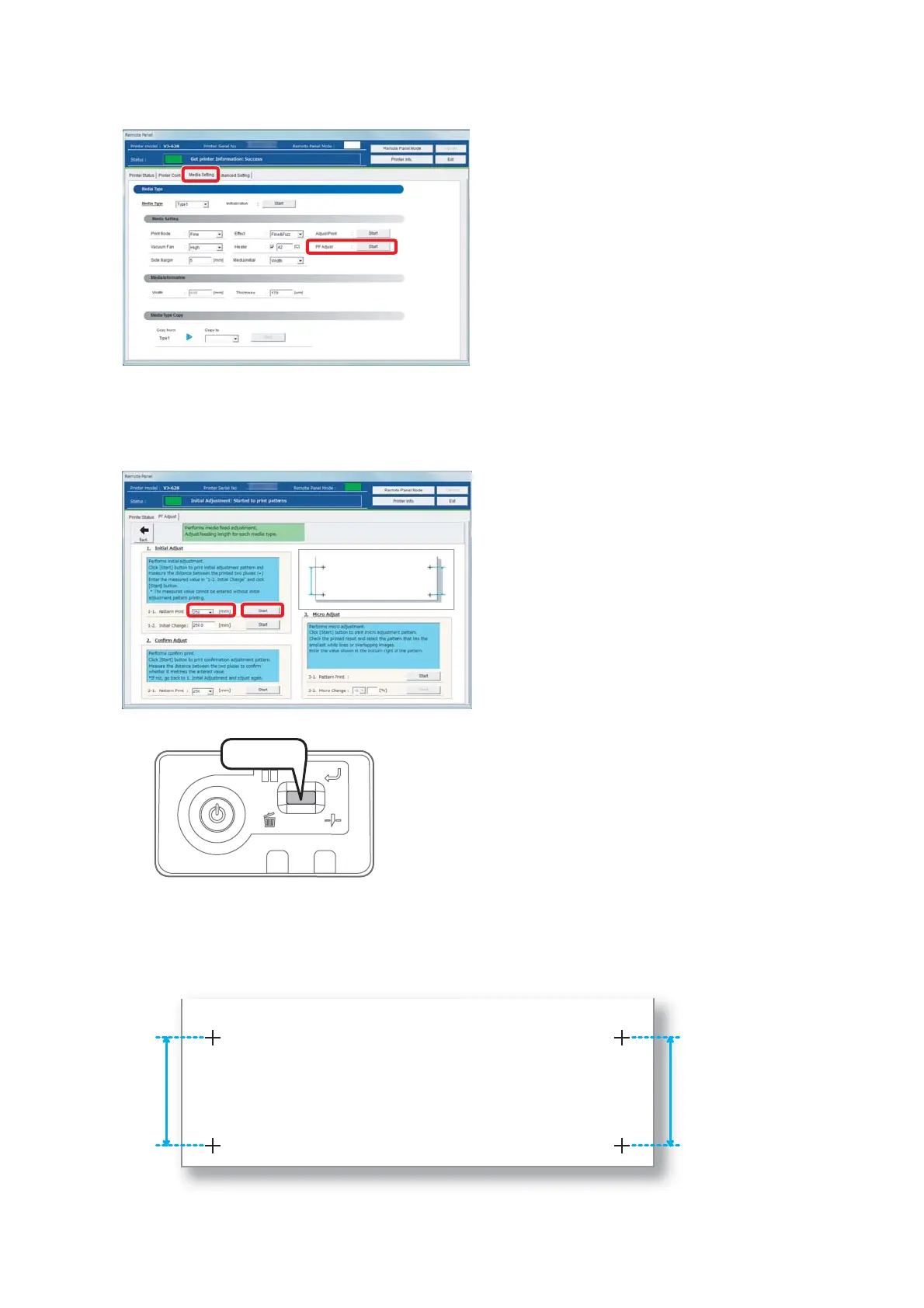
Click [Start] in [PF Adjust] of the [Media Setting] tab.
• The [PF Adjust] window opens.
[5]
Select the length ([mm]) of [1-1 Pattern Print] in [1. Initial Adjust], and click [Start].
• Select a length that can be measured with a prepared ruler. When a pattern is longer, a precision level improves.
• A pattern is printed.
[6]
Cut the media.
• Press and hold the operation key on the operation panel for
2 seconds or more.
• The built-in cutter in this product cuts the media.
[7]
With a ruler, measure the length between “+” in the pattern.
• In the example below, the measured place is shown in blue dotted lines and arrows (the blue parts are not actually
printed).
Press!















 To Next Page