82 Handling messages/error messages
[4]
Count the number of buzzer sounds (or number of short flashes of LED).
• Error number is 3 digits.
• Long sounding buzzer indicates a digit of error number, and the short sounding buzzer after the long buzzer
indicates error number.
• For example, the No. 154 error shows the next pattern.
3 long, 1 short, 2 long, 5 short, 1 long, 4 short, 3 long.
• The pattern will not repeat. To check it again, short press the operation key on the operation panel.
• If error number of a digit is “0”, a long buzzer (buzzer indicating a digit), then after having no sound for a fixed time, a long buzzer
indicating the next digit sounds. For LED, there is a long flash only, and it moves on to a long flash without having a short flash.
[5]
Check the followings.
• Open the front cover and if media is jammed, remove it.
• If there is a replaced part, check it is installed correctly.
[6]
Turn the power of this product OFF. Wait for 10 seconds or more and turn the power ON.
If the same error occurs after re-launching, please contact your local MUTOH dealer.
Checking failure contents of the emergency mode
[1]
Launch MSM.
"Launching MSM" on page 11
[2]
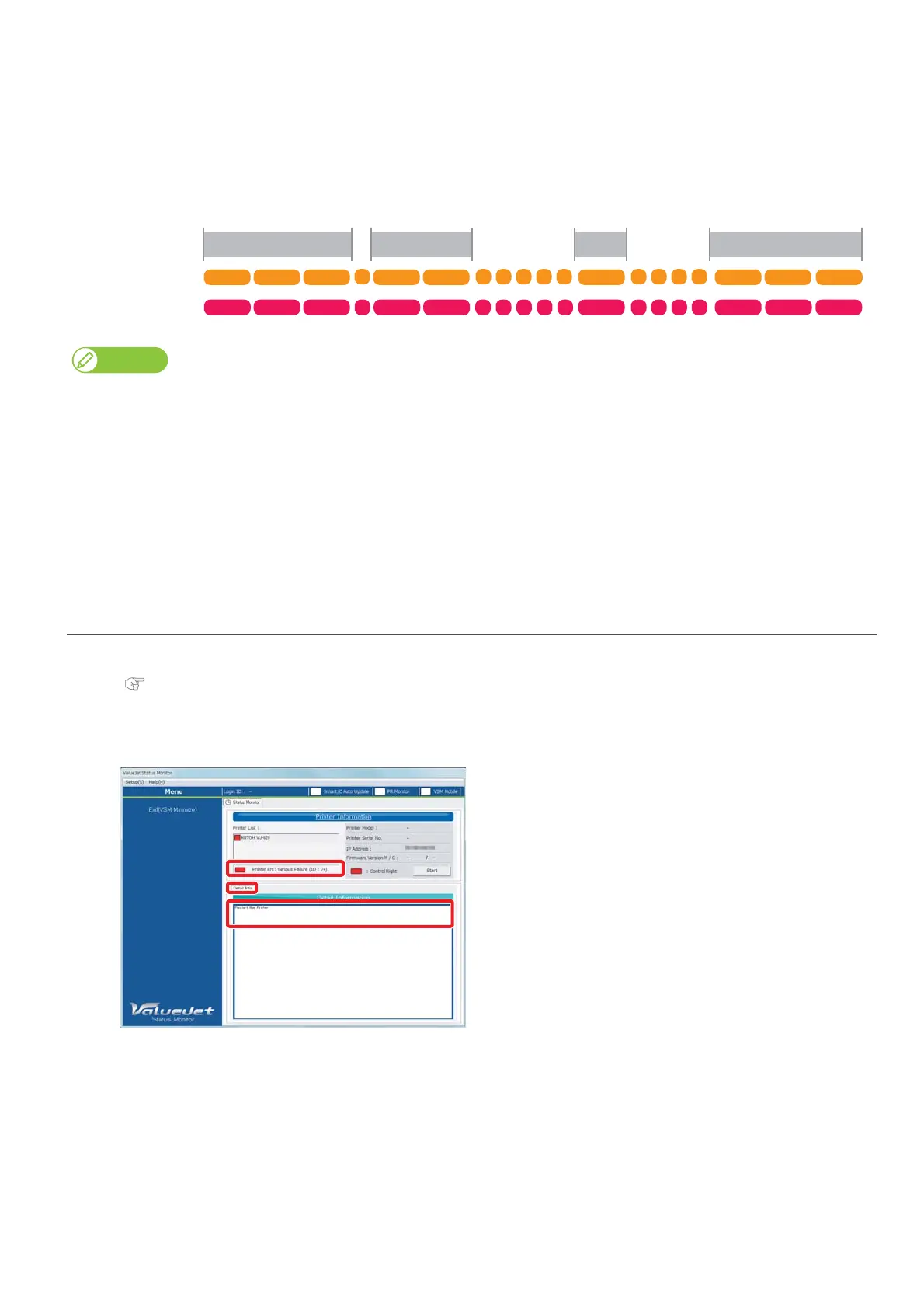
Check [Printer Information] and [Detail Info.].
• Contents of serious errors and countermeasures are displayed.
154
3rd digit 2nd digit 1st digit End
Buzzer
Error LED
Beep Beep Beep Beep Beep Beep Beep Beep Beep
Be Be Be Be Be Be Be Be Be Be















 To Next Page