Chapter 1. PVR Setting
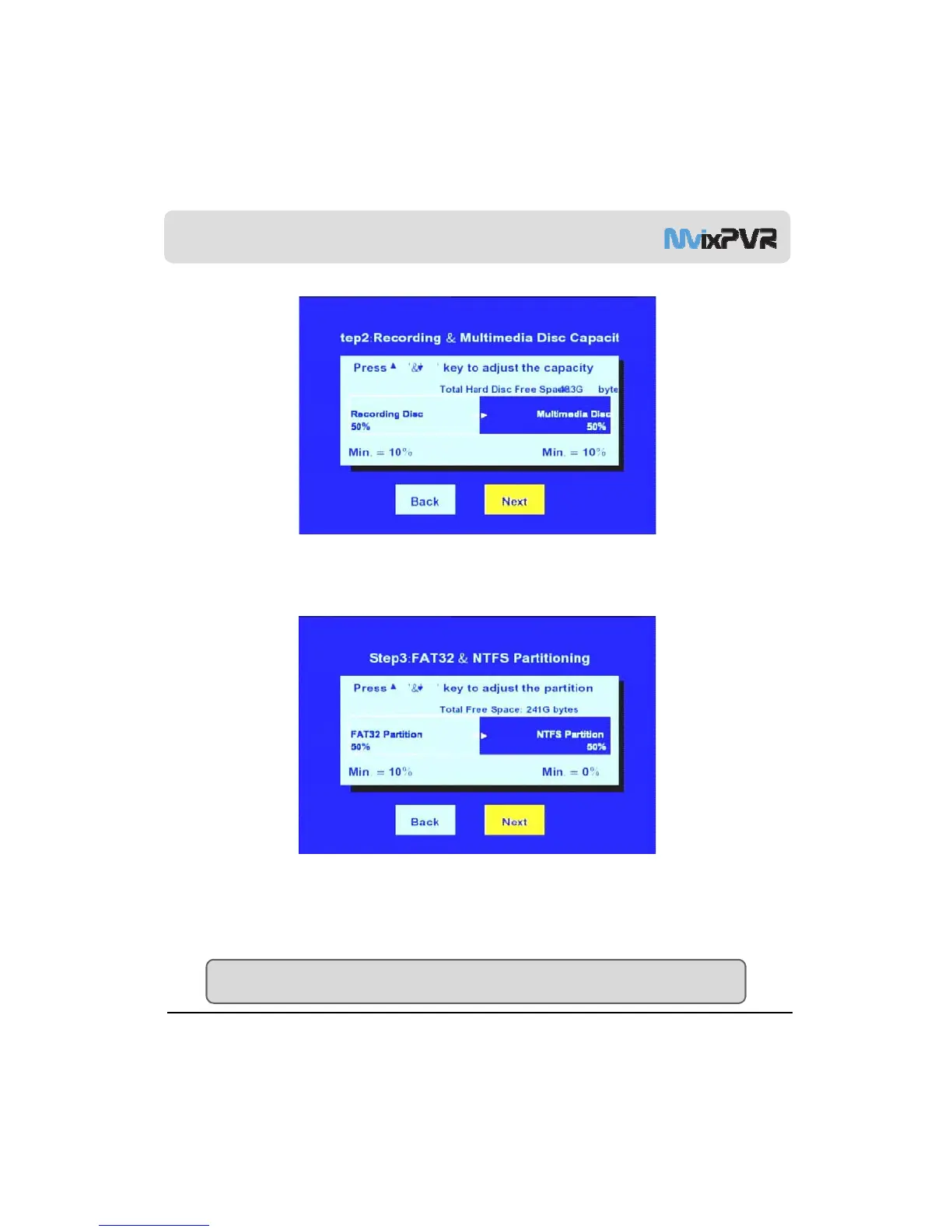
3. Adjust the second stage of multimedia and recording. Capacity allocated to multimedia is divided again in FAT32 and
NTFS, the next stage of Windows file system. After setup, select ‘Next’.
Default: 50% , Min.: 10% file system UNIX (UDF)
Recording DISC : Recordings Library Multimedia DISC : Media Library
4. Adjust the third stage of FAT32/ NTFS. In case of FAT32 partition, the minimum value is 10% or higher. For NTFS
partition, there is no restriction in minimum value allocation. Therefore, it can be allocated as 0%. After FAT32 and NTFS
partition is done Copy Recordings Here which is displayed after format completion is FAT32 file system and Media
MvixUSA
18
,
,
,
Library is NTFS file system. When NTFS is set as 0%, only HDD1 (FAT32) is displayed. After adjusting capacity, select
‘Next’.
Default: 50%, FAT32 : Min. 10% NTFS : 0%
FAT32 : Copy Recordings Here NTFS : Media Library
TIP
In partition composition of Copy Recordings Here (FAT32), the recorded file is also used as the copy area. Allocate
sufficient capacity if intending to record and store high-capacity files.



 To Next Page