Chapter 4. Media Environment Setting
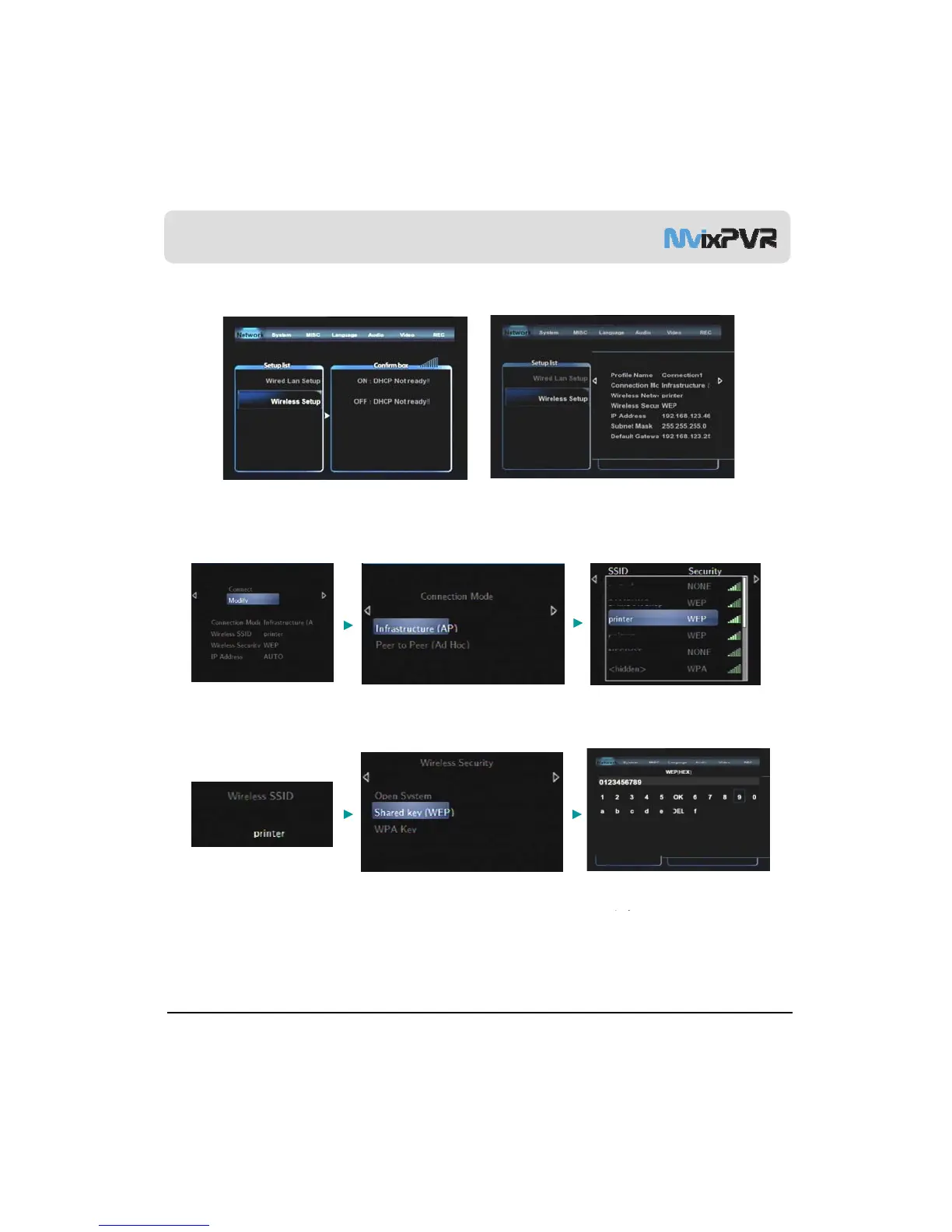
5-2. Wireless Network Setting
<Wireless Network Not Connected>
<Wireless Network Connected>
The following are descriptions on the method of wireless network connection by searching
signals. To use wireless network, you need wired/ wireless sharer.
Select Modify and move to the
next step.
※ Only WEP encrypted
connection is explained.
Select signal search mode.
Move to the next step.
When SSID for connection is
displayed, select it and move to the
next step.
Check the selected SSID. Press OK
and move to the next step
Select wireless security encryption.
WEP Auto (Open/Shared key) /
When encryption input screen is
MvixUSA
52
.
WPA is supported.
displayed, enter the accurate
password and press OK to attempt
connection.



 To Next Page