Chapter 2. Major Functions
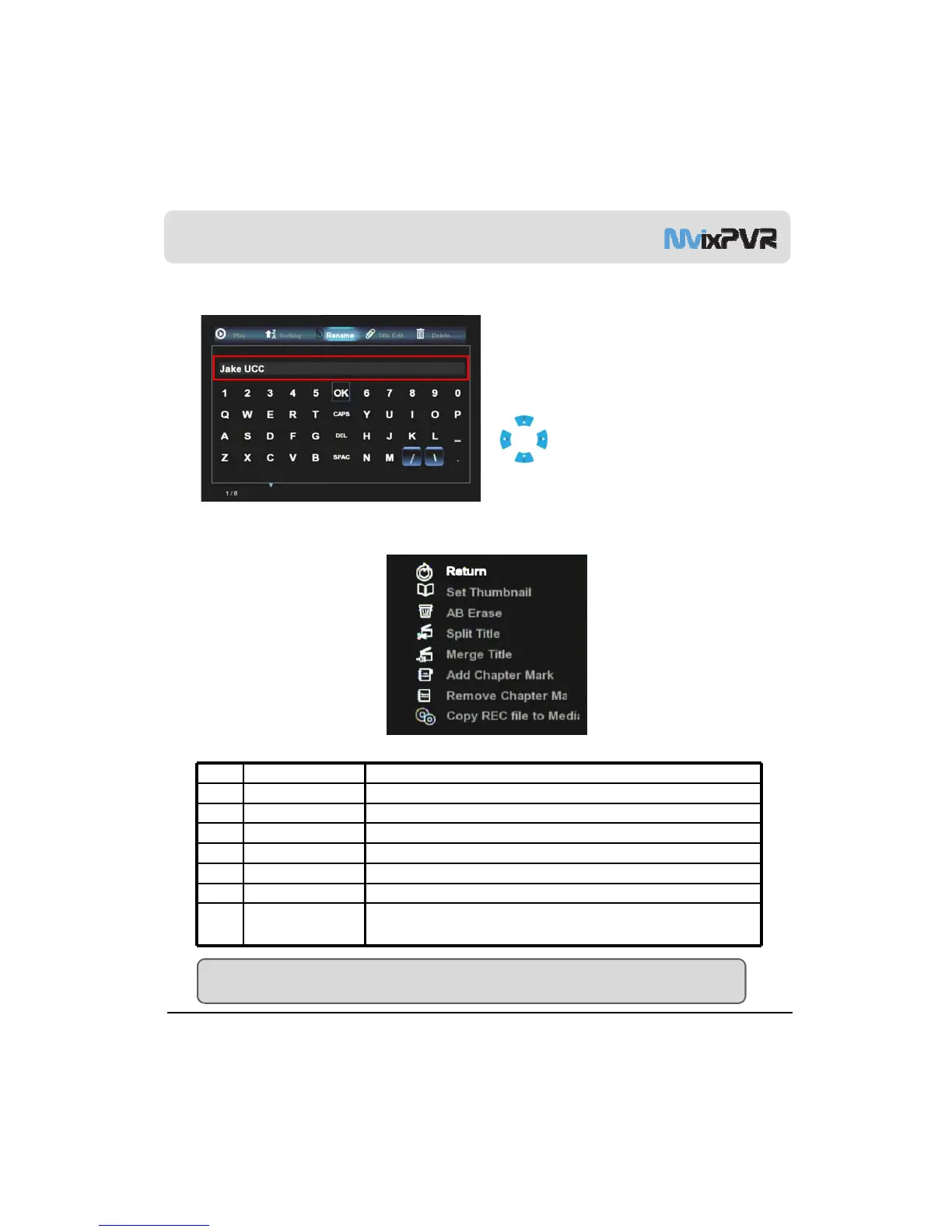
3-3. Change Name of Recorded Title
Name Change
Names of titles saved with input line and recording time as
default can be changed. Make selection by using
buttons of remote controller. Then, press OK to
change title name.
3-4. Edit Recorded Title
1
2
3
4
5
6
7
8
1 Return To return to previous screen
2 Set Thumbnail To designate and set preview screen
3 A-B Erase To set and delete the desired zone of A and B
4 Split Title To set and delete the desired zone of A and B
5 Merge Title To merge the recently recorded title and the previous title
6 Add Chapter Mark To set the desired point in advance
7 Remove Chapter Mark To delete the set point
MvixUSA
33
8 Co
REC file to
Media
To co
recorded file to record disk
When copying high-capacity file of 2GB or more, recorded file is automatically split and
saved per 2GB unit.
TIP
As the basic position of file extraction, file is saved in MEDIA LIBRARY -> Copy Recordings Here disk.



 To Next Page