Hardware Installation
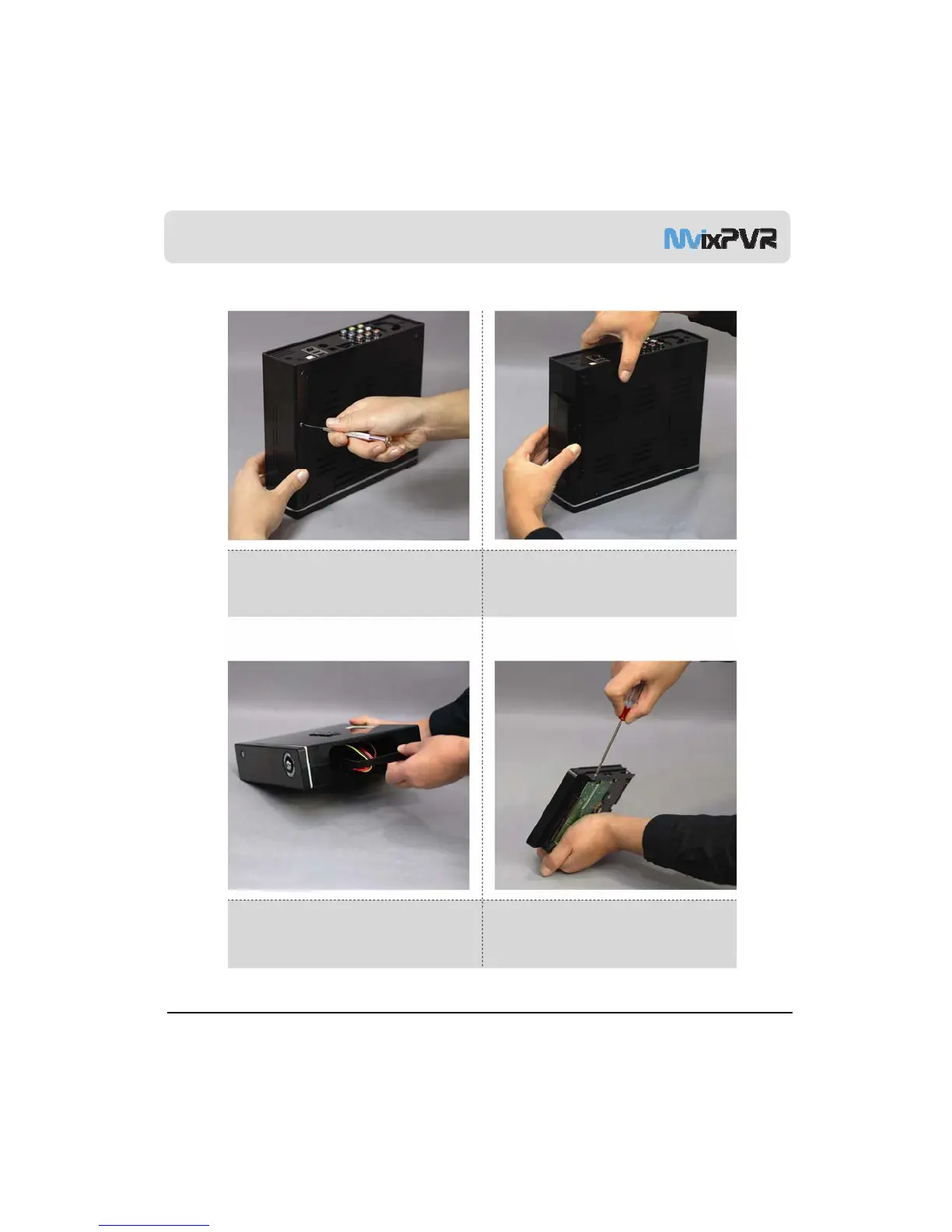
1. As shown above, unfasten the HDD cover screw
and open the HDD cover on the side of product.
2. Remove the HDD cover on the side of product
by pressing it down in the middle as shown in the
picture.
MvixUSA
11
3. Separate the HDD guard from the main body of
MvixPVR.
4. Connect the HDD guard and SATA HDD
as shown in the picture. Fasten screws.



 To Next Page