Chapter 4. Media Environment Setting
2) Audio Setting
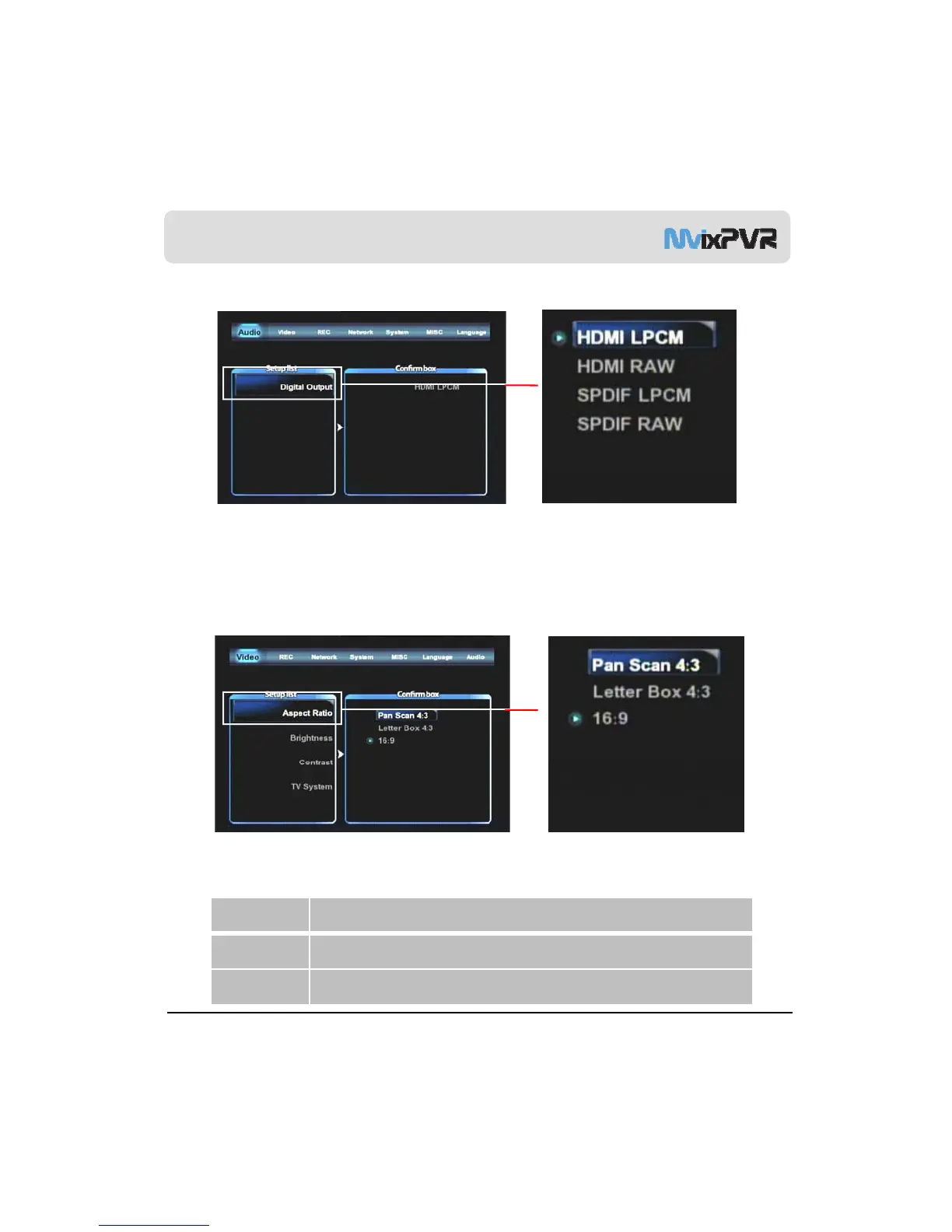
Digital Audio Output
To output down-mixing option of DTS and Dolby5.1 to 2 channel stereo select HDMI/ SPDIF output as LPCM,
To output DTS and Dolby 5.1 select RAW HDMI/ SPDIF, connect coaxial or optical cable to amplifier/ receiver,
and it will decode the 5.1CH DTS/ Dolby digital output.
Aspect Ratio
Screen ratio can be set to suit TV type. Setting is changed to Pan Scan 4:3/Letter Box 4:3/16:9.
This ratio is used when aspect ratio of TV is 4:3 This setting is to show the film of 16:9 ratio by
MvixUSA
47
.
cutting it to 4:3 size.
Letter Box 4:3 This ratio is used when aspect ratio of TV is 4:3. This setting is to show the 16:9 film full of
screen in its original ratio.
16:9 This ratio is used when aspect ratio of TV is 16:9 to show film with the ratio of 16:9. As of 4:3
ratio, this ratio shows the film full of screen.



 To Next Page