NAB EFTPOS User Guide 37
Step 5
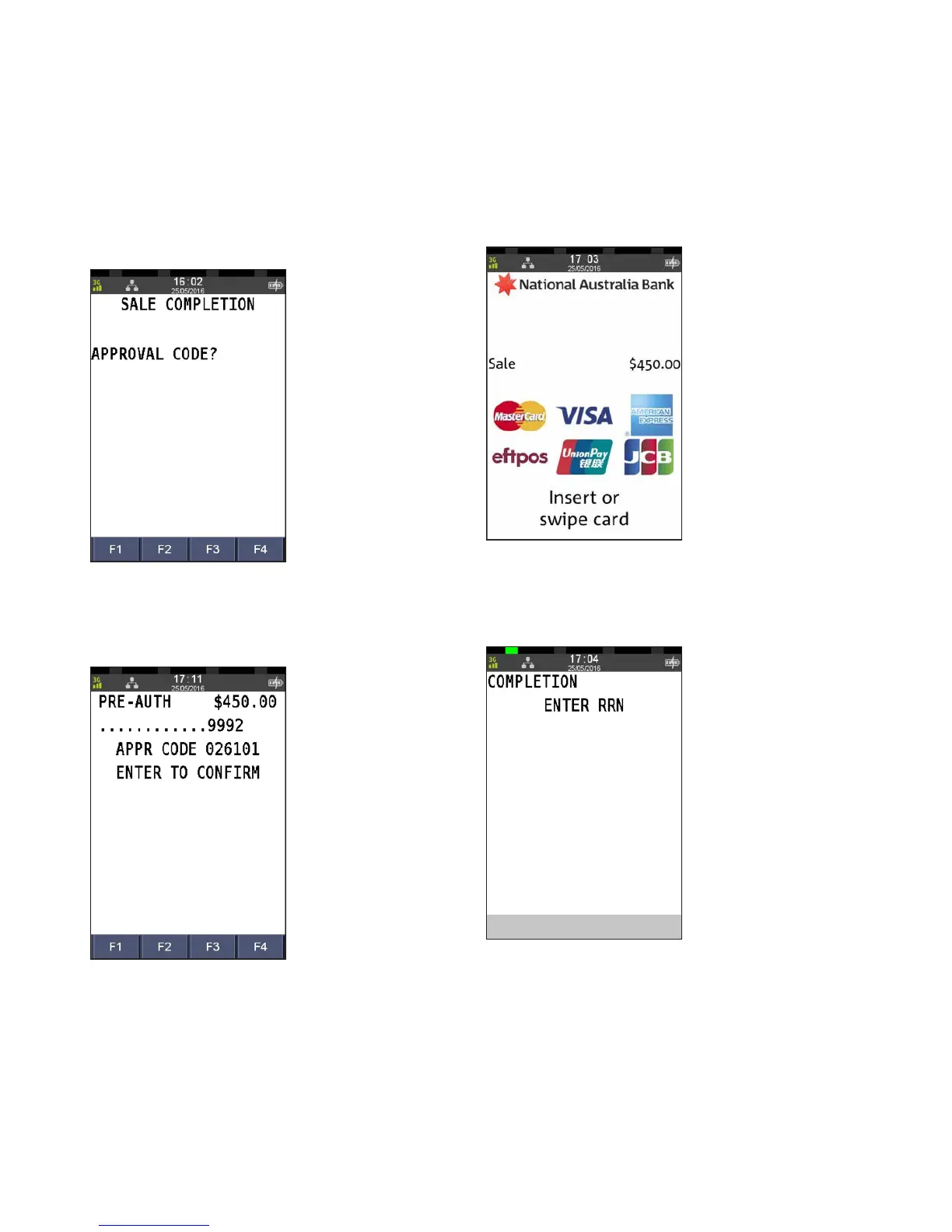
Enter the 6 digit APPROVAL CODE from the merchant receipt
and press ENTER
Step 6
Press ENTER to confirm the pre-authorisation transaction
retrieved by the terminal.
If the pre-authorisation transaction is not found on the
terminal, the customer’s credit card will be required.
Proceed to Step 6a.
Otherwise, proceed to step 7.
Step 6a
Ask customer to INSERT or SWIPE their card
Step 6b
Enter the last 8 digits of the RRN from the merchant receipt
and press ENTER
PRE-AUTHORISATION COMPLETION
(CONTINUED)



 To Next Page