38 NAB EFTPOS User Guide
PRE-AUTHORISATION COMPLETION
(CONTINUED)
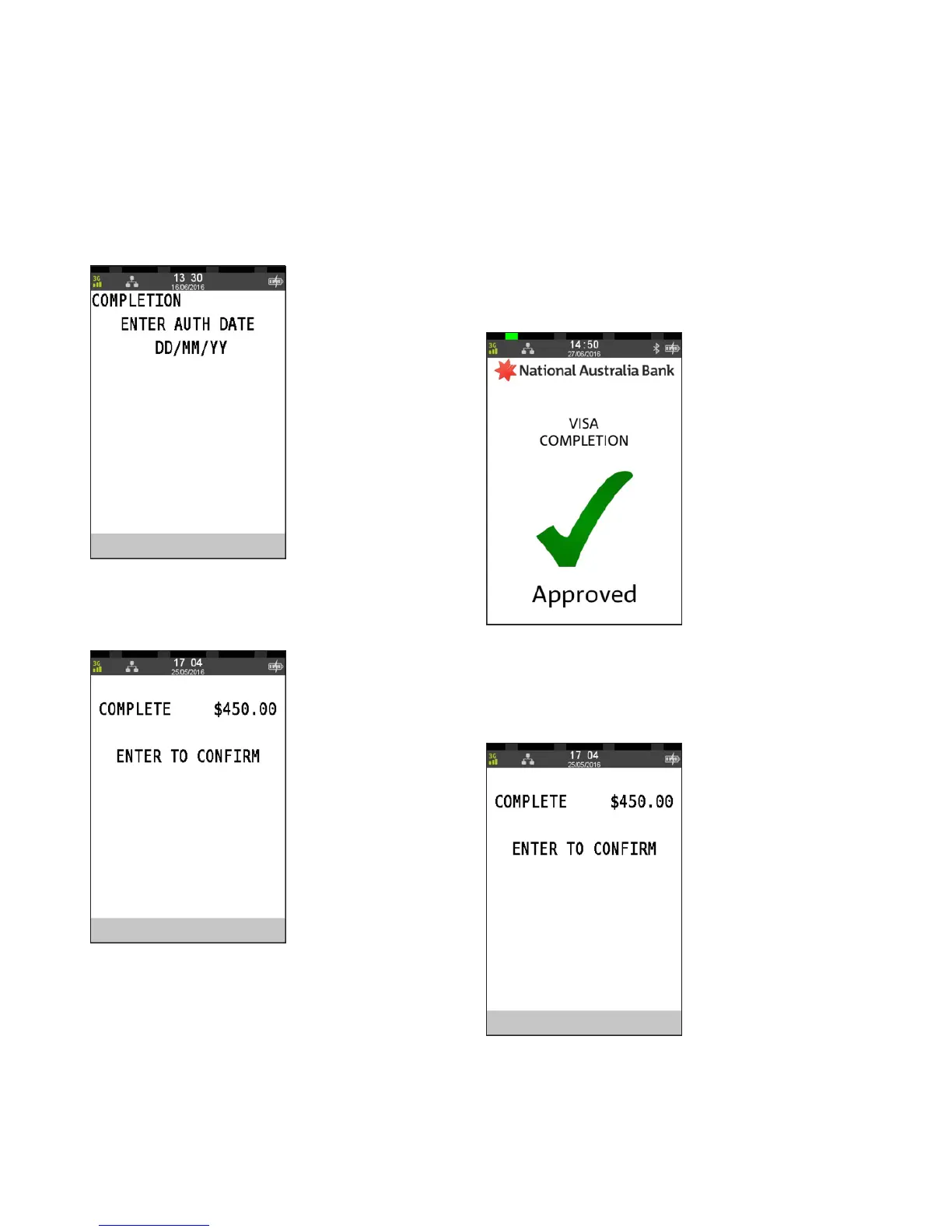
Step 6c
Enter the pre-authorisation date from the merchant receipt
in DD/MM format and press ENTER
Step 6d
Press ENTER to confirm the completion transaction.
Step 6e
An “Approved” acknowledgement displays once the
completion has been processed successfully and the
merchant receipt will print automatically.
Remove card from the terminal.
Proceed to Step 8.
Step 7
Press ENTER to confirm the completion transaction.
The merchant receipt will print automatically.



 To Next Page