20
nal von minden GmbH · Manual
Reac f Touch
If the analyzer has been enabled to automa cally print the results, the Prin ng screen
will be displayed un l the print out has been completed. The date, me, and test
sequence number will be printed along with the test results. If the analyzer has not
been enabled to automa cally print the test results, Press
to have the results
printed. (For further instruc ons on how to print results automa cally, refer to Sec on 7
Analyzer Setup: Analyzer Confi gura ons: Printer Setup).
Press
to complete the test and return to the Test Prepara on screen.
If the analyzer has been set up to fl ag a confi rmatory test for one or more parameters
(refer to Sec on 7 Analyzer Setup: Test Se ngs: Abnormal Se ngs: Flags for Confi rma-
on Test), press
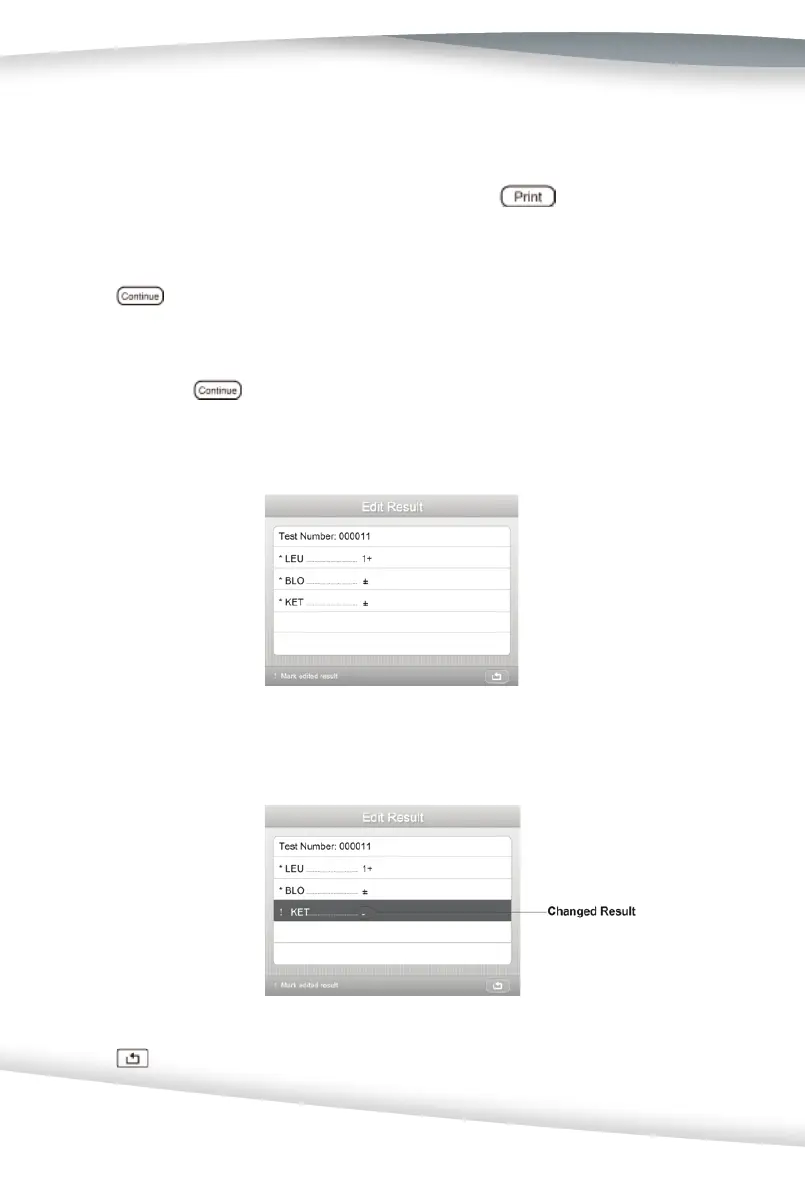
on the Results screen, the Edit Result screen is displayed when
the result meets the Abnormal se ng value. (Refer to Sec on 7 Analyzer Setup: Test
Se ngs: Abnormal Se ngs).
If desired, the results may be changed.
Press
to enter a confi rmatory screen, as shown below.



 To Next Page