26
nal von minden GmbH · Manual
Reac f Touch
On the Results screen, press
to con nue or to edit the Work List.
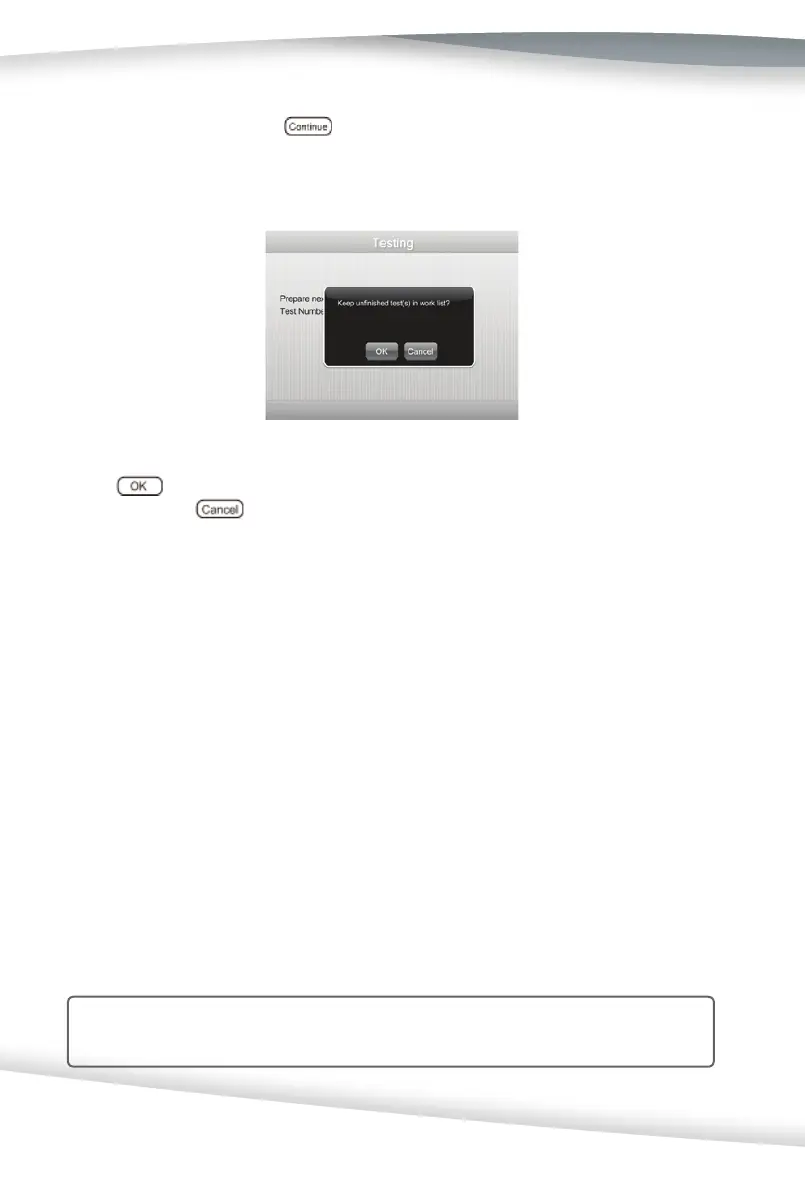
If an error occurs during the test, a prompt screen will appear, as seen below:
Press to keep unfi nished tests in the Work List and return to the Test Prepara -
on screen. Press
to erase unfi nished tests from the Work List and return to the
Test Prepara on screen to con nue with the next test in the Work List.
If the analyzer has been set up to fl ag a confi rmatory test for one or more parameters,
the Edit Result screen is displayed when the result meets the Abnormal se ng value.
The results can be changed if desired. The changed results will be marked on the Results
screen. If the analyzer has been set up to fl ag a microscopy test, the results will also be
marked on the Results screen.
A er all tests on the Work List are completed, you can exit the Work List and review the
results following the steps of Sec on 8 Records Review: Review All Data.
Con nuous Test ON
Con nuous Test mode allows the user to accelerate the test speed to up to 120 tests per
hour, but requires expert opera onal skills. Since users commonly make mistakes during
opera on and since the func on of reducing the interference of urine color does not
work in Con nuous Test mode, it is generally NOT recommend for the user to test in the
Con nuous Test mode on the Reac f Touch Urine Analyzer.
Note: Con nuous Test only works when the Work List is ON.



 To Next Page