27
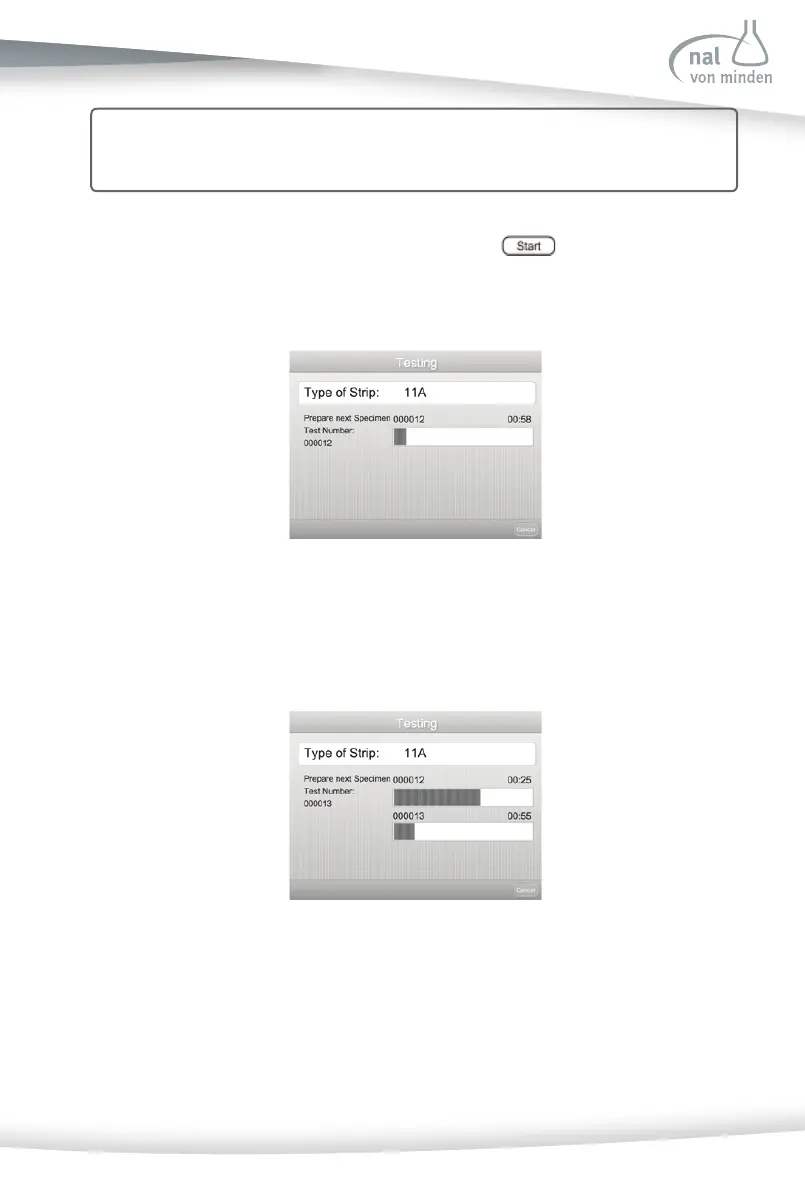
If the analyzer has Con nuous Test mode enabled, press on the Test Prepara on
screen to show the screen below: (For more instruc on on how to enable the con nuous
test mode, please refer to Sec on 7 Analyzer Setup: Test Se ng: Con nuous Test).
The fi rst two beep sounds prompt the user to dip the fi rst strip into the specimen and
then put the strip onto the test table. 30 seconds a er the fi rst two beep sounds, ano-
ther screen appears, as seen below:
The second two-beep sounds prompt the user to dip the second strip into the specimen.
Since the fi rst strip is s ll on the test table, the second strip, which has already been
dipped in the specimen, should be laid on the work bench. 15 seconds a er the second
two-beep sounds, the analyzer will start to run the test with the fi rst test strip. 30 se-
conds a er the second two-beep sounds, the screen below will appear:
Cau on: Because the func on of reducing the interference of urine color does not
work with the Con nuous Test mode, results may be diff erent than results
from a Single Test mode.



 To Next Page