Nasuni Edge Appliance Initial Configuration Guide 8.3 100
Overview
5. To save DHCP network parameter values, enter save.
6. To exit the editnetwork commands, enter close.
7. To exit the console commands, enter quit.
8. On the Nasuni Edge Appliance, enter any changed settings so that the Nasuni Edge Appliance
is consistent with the platform.
Viewing the MAC Address for the Nasuni Edge Appliance Hardware Appliance
You can view the MAC (media access control) addresses for the network cards in the Nasuni Edge
Appliance hardware appliance.
To view the MAC addresses:
1. On the front panel of the Nasuni Edge Appliance hardware appliance, pull out the plastic slider.
2. On the top of the slider, the service tag number appears. On the bottom of the slider, the MAC
addresses for the network cards appear.
You can also use console commands to view the MAC address.
To view the MAC address, follow these steps:
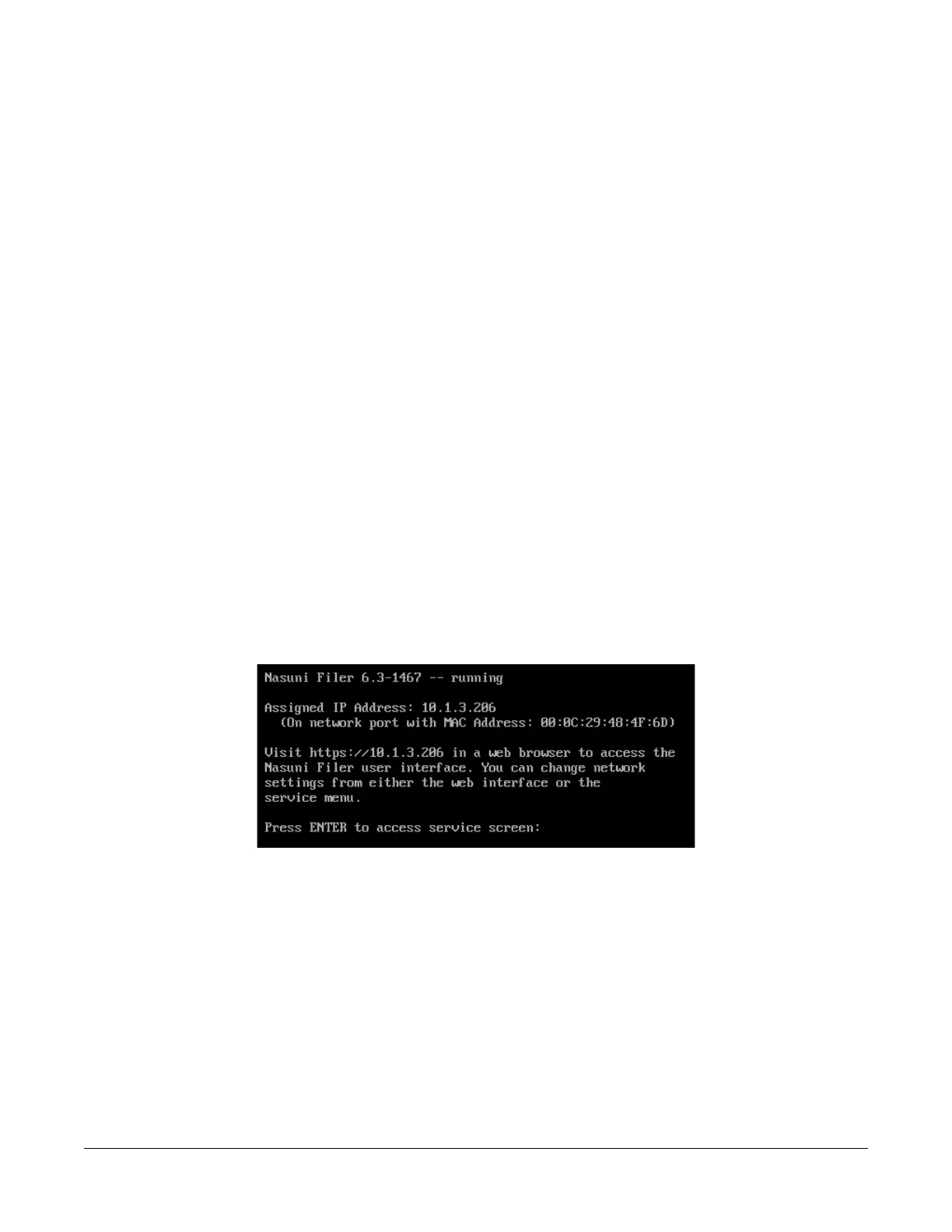
1. Access the console for the Nasuni Edge Appliance. For the Nasuni Edge Appliance hardware
appliance, use a keyboard and monitor attached to the hardware appliance. For the Nasuni
Edge Appliance virtual machine, use the virtual machine console window. The console prompt
appears.
Figure A-19: Console prompt.



 To Next Page