Nasuni Edge Appliance Initial Configuration Guide 8.3 85
Accessing Volumes Nasuni Desktop Client
Nasuni Desktop Client
Nasuni combines the best features of consumer file-sharing applications with the secure and robust
storage infrastructure that enterprises demand. The Nasuni Desktop Client provides an easy-to-use,
enterprise-friendly service for accessing enterprise data. The Nasuni Desktop Client consists of a
simple portal interface to the Nasuni Edge Appliance on the user’s computer. The Nasuni Desktop
Client is available for Windows, Linux, and OSX platforms.
Installation
The Nasuni Desktop Client requires a separate installation and configuration on each end user’s
computer. For more details see the
Nasuni Desktop Client Administrator Guide and the Nasuni Desktop
Client User Guide.
Configuration
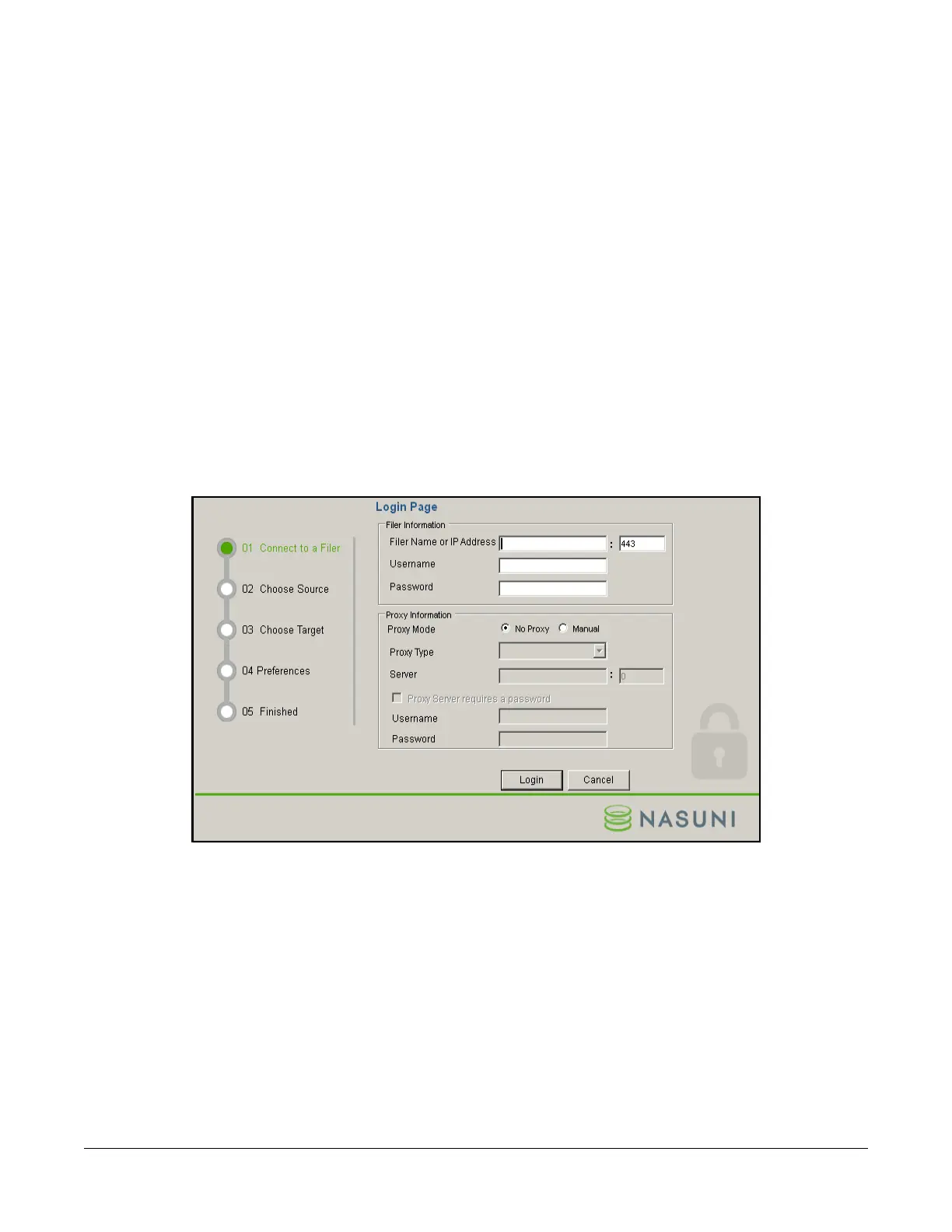
You can configure many features of the Nasuni Desktop Client, including the following:
Figure 2-48: Nasuni Desktop Client Add Connection Wizard, 01 Connect to a Filer page.
• Edge Appliance name or IP address, and port.
• Username for the Nasuni Edge Appliance.
• Password for the Username of the Nasuni Edge Appliance.
• Proxy, including proxy type, proxy server and port, and password.



 To Next Page