Nasuni Edge Appliance Initial Configuration Guide 8.3 87
Accessing Volumes Nasuni Desktop Client
Preferences
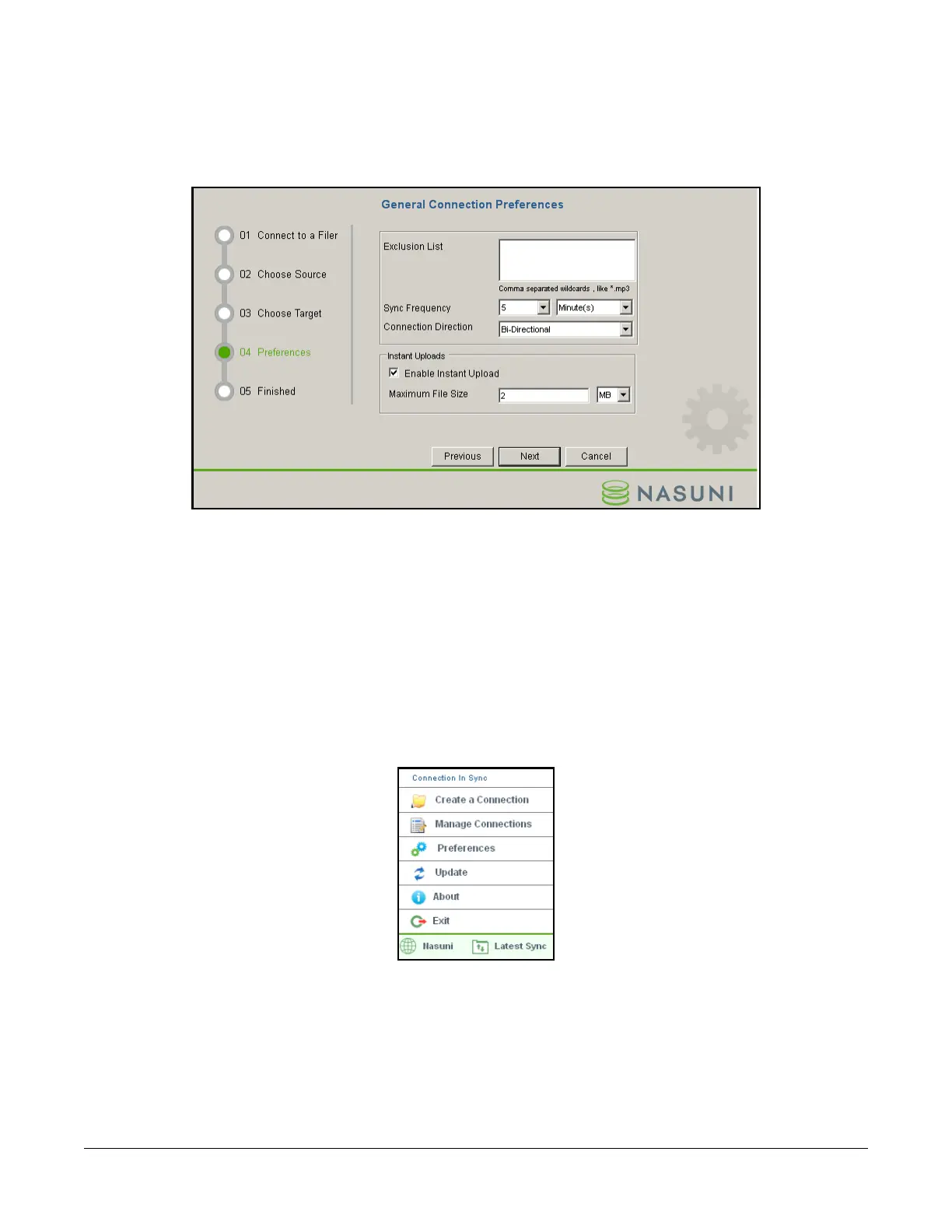
You can also specify preferences about the processing of the Nasuni Desktop Client, including the
following:
Figure 2-51: 04 Preferences page.
• Exclude any files or directories by name, using wildcards and regular expressions.
• Direction of data flow between the Nasuni Desktop Client and the Nasuni Edge Appliance,
including Bi-Directional, Only Filer to Client, and Only Client to Filer.
• Upload of smaller files to the Nasuni Edge Appliance before the expiration of the Sync
Frequency.
Nasuni Desktop Client controls
You can perform a number of actions using the Nasuni Desktop Client control menu.
Figure 2-52: Nasuni Desktop Client control menu.
Creating a new connection to a Nasuni Edge Appliance
You can create a new connection to a Nasuni Edge Appliance by selecting Create a Connection from
the Nasuni Desktop Client control menu.



 To Next Page